Amber Terminal
Paste one prompt into your AI to build Amber Terminal.
Works with Claude Code or Codex. No charge for the prompt or the app. Mac, Windows or Linux. Built from public pages and public data, and not affiliated with Bloomberg.
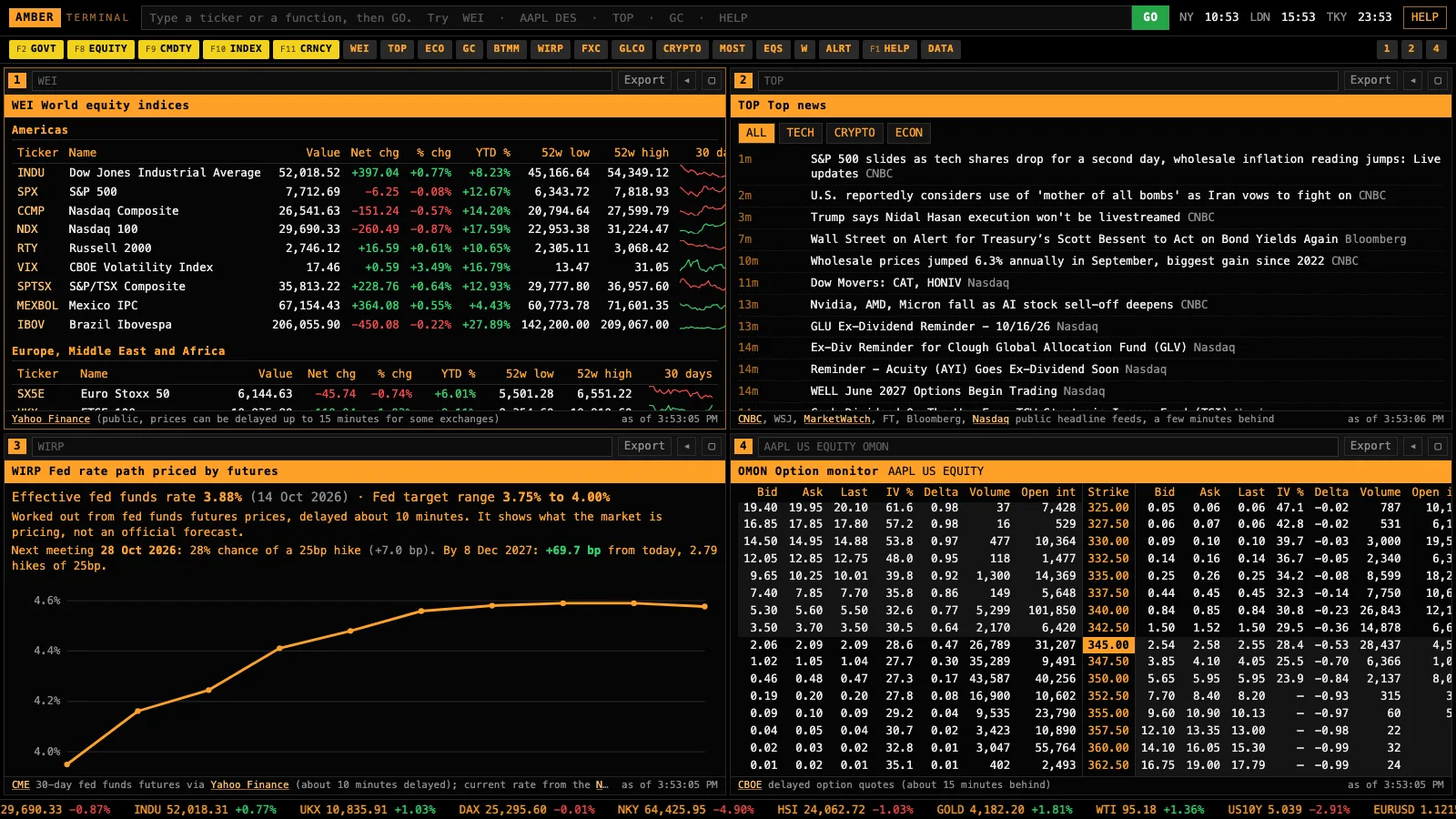
The one-shot prompt
Fill in the form to unlock it.
What a Bloomberg Terminal is
It’s the screen on most trading desks. More than 350,000 people use it, it’s been around since 1982, and one seat costs about $31,980 a year on a two-year contract. People pay for three things:
- Data on every market
Live prices, bonds, filings and history across every asset class, from one login.
Here: public data for stocks, indices, futures, currencies, crypto, rates, filings and options. Some of it 15 minutes behind, and no single bonds.
- Its own newsroom
2,700 journalists and more than 5,000 stories a day, often before anyone else.
Here: headlines from public feeds. Bloomberg's newsroom can't be copied.
- The chat
About 40 million chats a day between the people who use it. The person you trade with is already on it.
Here: none. A network can't be rebuilt from code.
There are cheaper terminals. Koyfin starts at $39 a month, Godel at $118 a month, and FactSet and LSEG Workspace quote each customer privately. Amber Terminal is different in one way: it runs on your own computer, on public data, and you change it by asking your AI.
Where the numbers come from
Every number comes from a public source that needs no account and no API key. Type DATA in the app to see the source and freshness of every screen.
| What | Source | How fresh |
|---|---|---|
| Crypto | Binance, Coinbase, Kraken | Live |
| Stocks, indices, futures, currencies | Nasdaq and Yahoo Finance | Live to 15 minutes behind, by exchange |
| Treasury yields and money markets | US Treasury, Federal Reserve Bank of New York, FRED | Daily |
| Fed rate path | Fed funds futures prices | About 10 minutes behind |
| Filings, insider trades | SEC EDGAR, with full-text search back to 2001 | Minutes after filing |
| Holders | Nasdaq (from 13F filings) | Quarterly |
| Credit spreads | ICE BofA indices via FRED | Daily, one business day behind |
| Treasury auctions | TreasuryDirect | On announcement and result |
| Analyst estimates and ratings | Zacks consensus, published by Nasdaq | Daily |
| Stock screener, dividends | Nasdaq and Yahoo Finance | 200 largest live, the rest last close |
| Options | CBOE | 15 minutes behind |
| News | Public feeds from CNBC, the Wall Street Journal, the FT and others | Minutes |
| Economic releases | Nasdaq, Forex Factory, FRED | On release |
| Central bank rates | Bank for International Settlements | Days |
| Positioning | CFTC Commitments of Traders | Weekly |
What it doesn’t have: a live order book, real-time prices on every exchange in the world, single bonds and CDS, and Bloomberg’s newsroom and chat. Use your broker’s prices to place orders.
Ways to use it with Claude
A terminal shows you the numbers. Connected to Claude, it can turn them into a decision: what to watch today, whether a move is already priced, whether a strategy is an edge or luck. Each one is a prompt you paste in. The build prompts add it to your terminal as a permanent screen. They help you trade better informed and better sized; none of them promises a profit.
- Your morning brief
Two minutes before the open and you know what moved overnight, what's scheduled today and what the Fed is priced to do, instead of finding out from your P&L.
WEI · CRYPTO · TOP · ECO · WIRP · W · ERN
Ask Claude
Using my Amber Terminal, give me this morning's brief in under 12 lines: what world markets and crypto did overnight (WEI, CRYPTO), the three headlines that matter most for my watchlist (TOP, W), today's economic releases with the consensus (ECO), what futures price for the next Fed meeting and how that changed since yesterday (WIRP), and anything on my watchlist with earnings this week (ERN). End with the one thing to watch today.
Build it into your terminal
Add a function called BRIEF to Amber Terminal that puts this morning brief on one screen, built from the existing functions' data and refreshed every 15 minutes. Follow the README's 'Add your own screen' section and add a test.
- Earnings: is the move already priced?
Options tell you how far the market expects a stock to move on earnings. Compare that with how far it usually moves and you know whether options are cheap or expensive, and how big a position the likely move allows.
ERN · OMON · OVDV · HP · INSD
Ask Claude
NVDA reports this week (check ERN for the date). From my Amber Terminal: get the implied move to the first expiry after the report (OMON) and the at-the-money volatility across the next expiries (OVDV), then how far NVDA actually moved the day after each of its last 8 reports (use its daily history around those dates). Is the market pricing a bigger or smaller move than NVDA usually makes? Show the expected range in dollars, and what a $2,000 position would gain or lose at each edge of it. Mention any insider buying or selling in the last 60 days (INSD).
Build it into your terminal
Add a function called EMOVE to Amber Terminal: for the panel's stock, show the implied earnings move from the options chain next to its actual moves after the last 8 reports, with the average and a note saying whether options are pricing more or less than usual.
- Fed day: what's already in the price
Markets move on surprises, not on what everyone expected. Knowing what's priced stops you trading a headline that was already in the price.
WIRP · GC · BTMM · CRED · FXC
Ask Claude
Before the next Fed meeting, using my Amber Terminal: what does WIRP price for it and the three after, and how has that changed this week? Where are the 2-year and 10-year yields and the 2s10s spread (GC, BTMM)? Are credit spreads widening or tightening (CRED)? Then tell me what decision would surprise the market, and how the S&P 500 and the dollar moved on the last three meeting days, so I know what a surprise has looked like.
- Insiders buying their own stock
When the people running a company buy its shares with their own money on the open market, it's one of the few signals the public can see. This finds it across your list in a minute.
W · INSD · CF · DES
Ask Claude
For every stock on my Amber Terminal watchlist (W), plus AAPL, MSFT and JPM, check insider transactions in the last 60 days (INSD). List only open-market purchases: who bought, their role, the dollar amount, and how big that is next to what they already own. Then check each company's 8-K filings since (CF) for anything that explains it.
Build it into your terminal
Add a function called IBUY to Amber Terminal that scans my watchlist for open-market insider purchases in the last 60 days and ranks them by dollar size, using the INSD data.
- Headline sentiment across your list
Funds pay for news sentiment scores. Claude can read the latest headlines for each stock on your list, score the tone and tell you which ones turned, so you look at the right charts first.
W · CN · TOP
Ask Claude
For every stock on my Amber Terminal watchlist (W), read the latest headlines (CN) and score the tone of the news from -2 (very negative) to +2 (very positive), with one line on why. Then list the ones whose news turned sharply in the last few days, and the headline that did it. Don't guess a stock's direction from this, just tell me where to look.
Build it into your terminal
Add a function called SENT to Amber Terminal that shows my watchlist with the latest headline for each stock and a column for a sentiment score I can fill in by asking Claude, saved in the data folder so I can see how it changes day to day.
- Red flags in the filings
Words like 'going concern', 'material weakness' or 'restatement' in a filing often come before bad news. Searching every filing for them used to need a research desk.
DS · CF · W
Ask Claude
Using my Amber Terminal's document search (DS), check the last year of 10-K and 10-Q filings for every company on my watchlist (W) for these phrases: going concern, material weakness, restatement, auditor resignation, covenant breach. For each hit, give me the company, the filing, the date and the sentence it appears in. Then tell me which ones look serious and which are routine wording.
- What it costs to protect your portfolio
Before a big event you can buy protection. Knowing what three months of cover costs, in dollars and as a share of your portfolio, tells you whether it's worth it.
PORT · OMON · OVDV
Ask Claude
Read my portfolio in Amber Terminal (PORT) and its beta to the S&P 500. Work out how many SPY put contracts would cover a 10% fall in the S&P for about three months, using real prices from the SPY options chain (OMON) at a strike around 5% below today's price. Tell me the total cost in dollars, the cost as a percentage of my portfolio, and what the at-the-money volatility (OVDV) says about whether protection is cheap or expensive right now.
- Which data surprises move the market
Not every release matters. Seeing how far the S&P and yields moved the last few times CPI or payrolls surprised tells you which numbers to be careful around.
SURP · ECO · GC
Ask Claude
Using my Amber Terminal (SURP and ECO), show me the last few CPI, payrolls and retail sales releases: actual against consensus, and how the S&P 500 and the 10-year yield moved that day. Which surprises moved the market most, and what's due this week that could do the same?
- Edge or luck? Test the idea first
Most strategies that look great on a chart are luck. This tests yours on years of data and runs the checks quant desks use, before you put money behind it.
BTST
Ask Claude
Using my Amber Terminal's backtester (BTST), test this idea on SPY, QQQ and BTC daily: buy when the price closes above its 200-day average and RSI(14) is under 60, sell when it closes back below the 200-day. Run the quant checks on each and tell me plainly whether it looks like an edge or luck. If it fails, change one thing and test again, at most three rounds, and show me every result including the failures, so I can see how many tries it took.
- Your portfolio's real risk
Knowing how much you'd lose if the market fell 10%, and which holding drives it, is the difference between sizing a trade and guessing.
PORT · ERN · DVD · HP
Ask Claude
Read my portfolio in Amber Terminal (PORT). Tell me its beta to the S&P 500, which holding carries the most risk, which holdings report earnings or go ex-dividend in the next two weeks (ERN, DVD), and roughly how much the portfolio would lose if the S&P 500 fell 10%, using each holding's beta. Keep it to the numbers and one suggestion.
- What the futures curve costs an ETF holder
Commodity ETFs roll their futures every month. In contango that quietly costs holders; in backwardation it pays them. Most people holding USO or UNG don't know which.
CT · GLCO
Ask Claude
Using my Amber Terminal, is crude oil in contango or backwardation right now (CL1 COMDTY CT), and how about natural gas (NG1 COMDTY CT)? Explain in plain words what that means for someone holding an oil ETF like USO for six months, and how much the curve has changed this month.
- Add the screen you wish it had
The terminal is yours. If it's missing the screen you check every day, Claude adds it in a few minutes, as a new function code.
MOST · EQS
Build it into your terminal
Add a function called SECT to Amber Terminal that shows today's performance by sector from the stock screener's data: each sector's average move, its biggest gainer and loser, and click a stock to open its DES. Follow the README's 'Add your own screen' section and add a test.
What you get
- WIRP · The Fed rate path
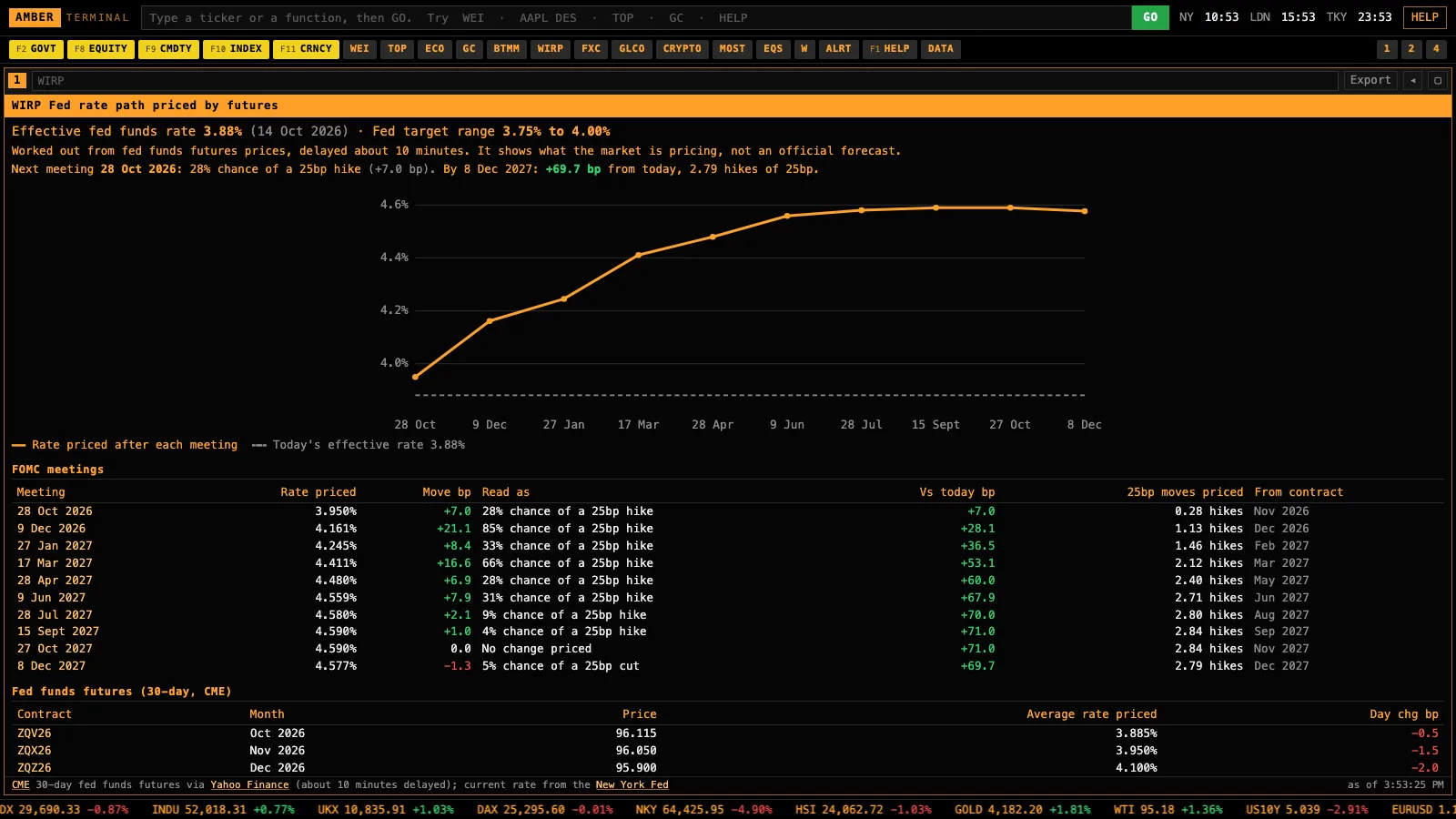
What fed funds futures price for every upcoming Fed meeting, in basis points and as cuts or hikes.
Bloomberg: WIRP, part of a $31,980-a-year seat.
- BonusBTST · Backtest with quant checks
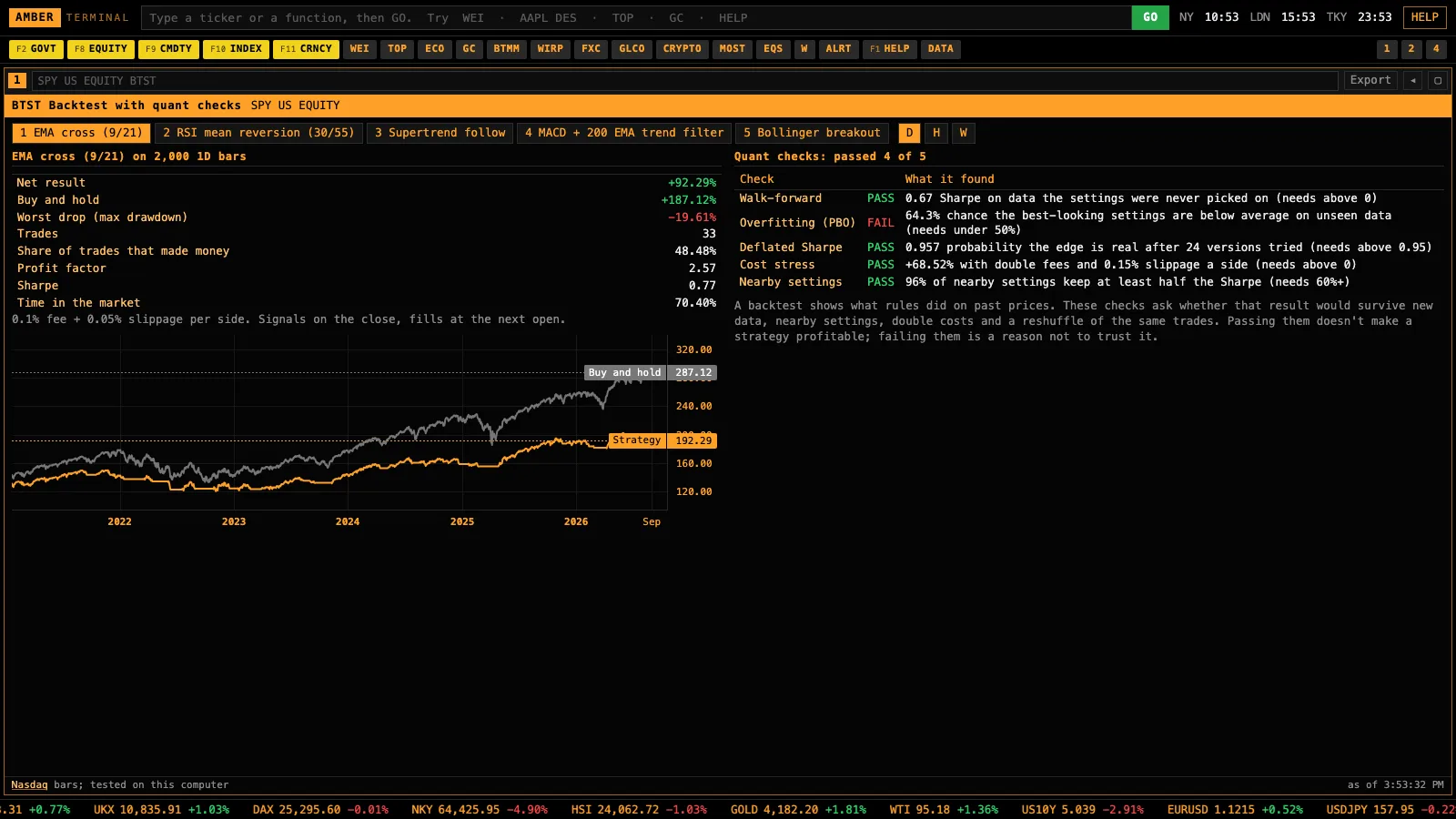
Run a strategy on any chart, then the checks quant desks use to tell an edge from luck: walk-forward, overfitting, deflated Sharpe, cost stress and Monte Carlo.
Bloomberg: BTST backtests, without these checks built in.
- OMON · Options chains
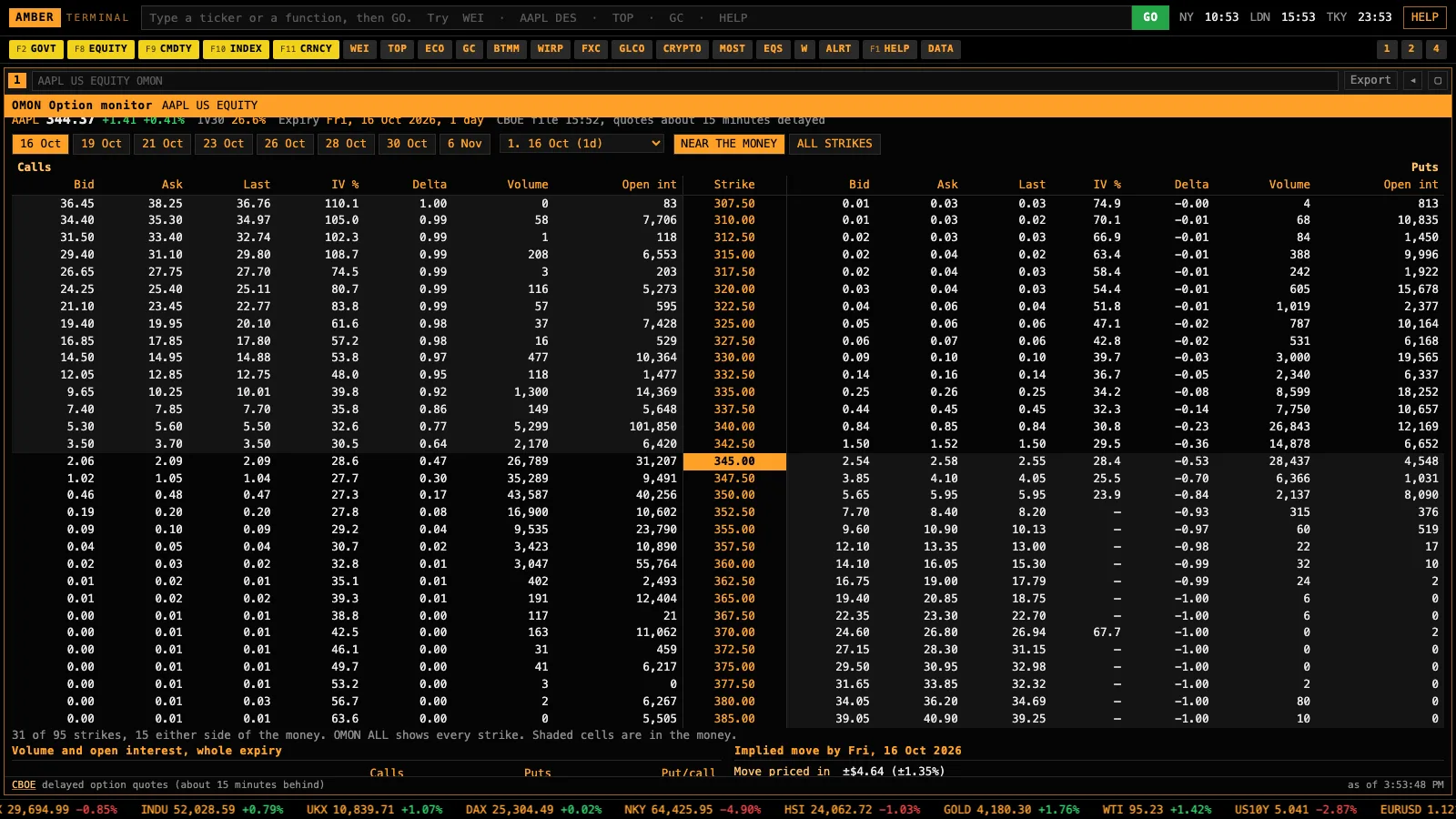
Calls and puts by strike with bid, ask, implied volatility, delta and open interest, plus the implied move to expiry.
Bloomberg: OMON.
- GC · Yield curves
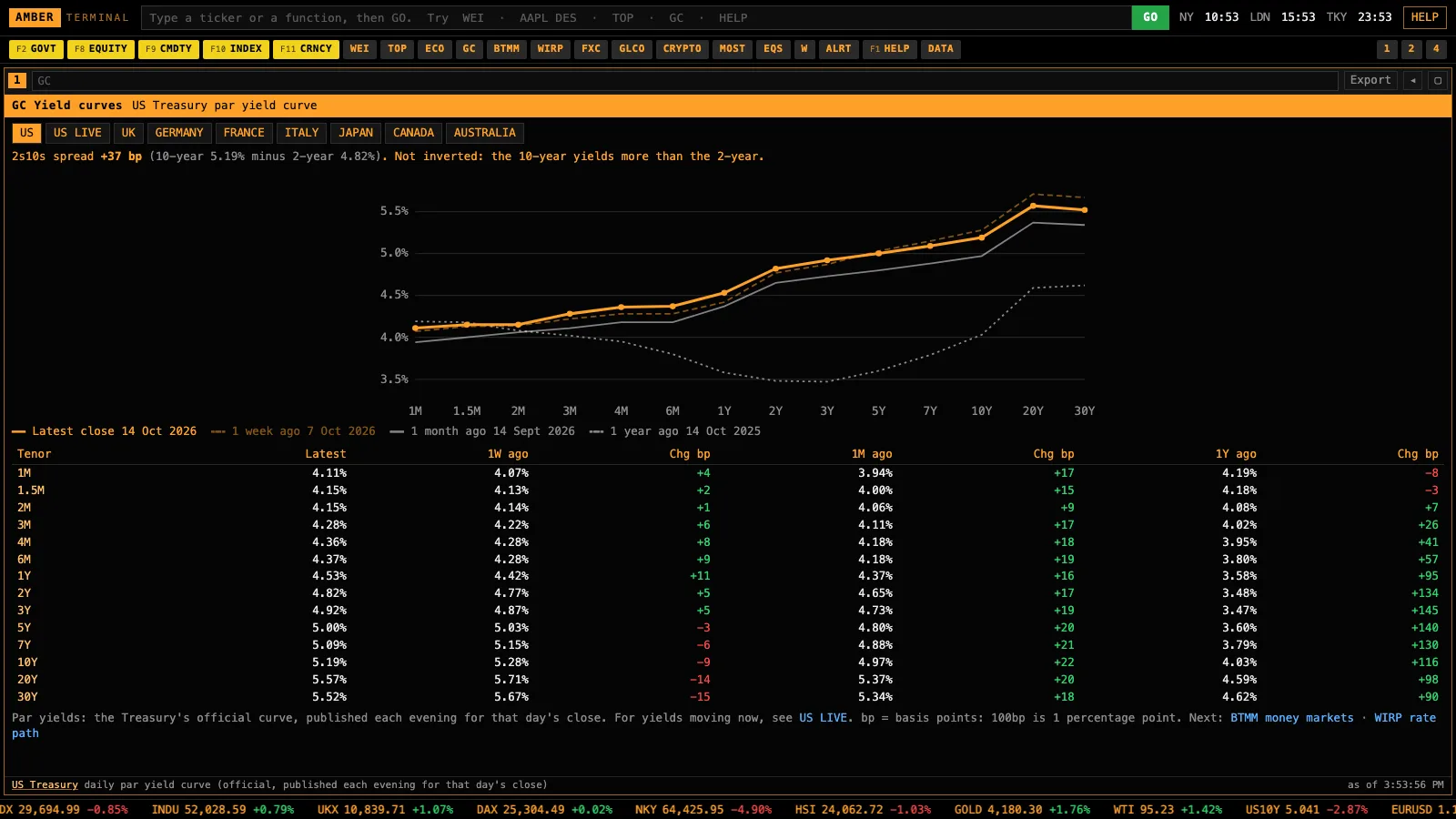
The Treasury curve today against a week, a month and a year ago, plus other countries.
Bloomberg: GC.
- TOP and CN · News
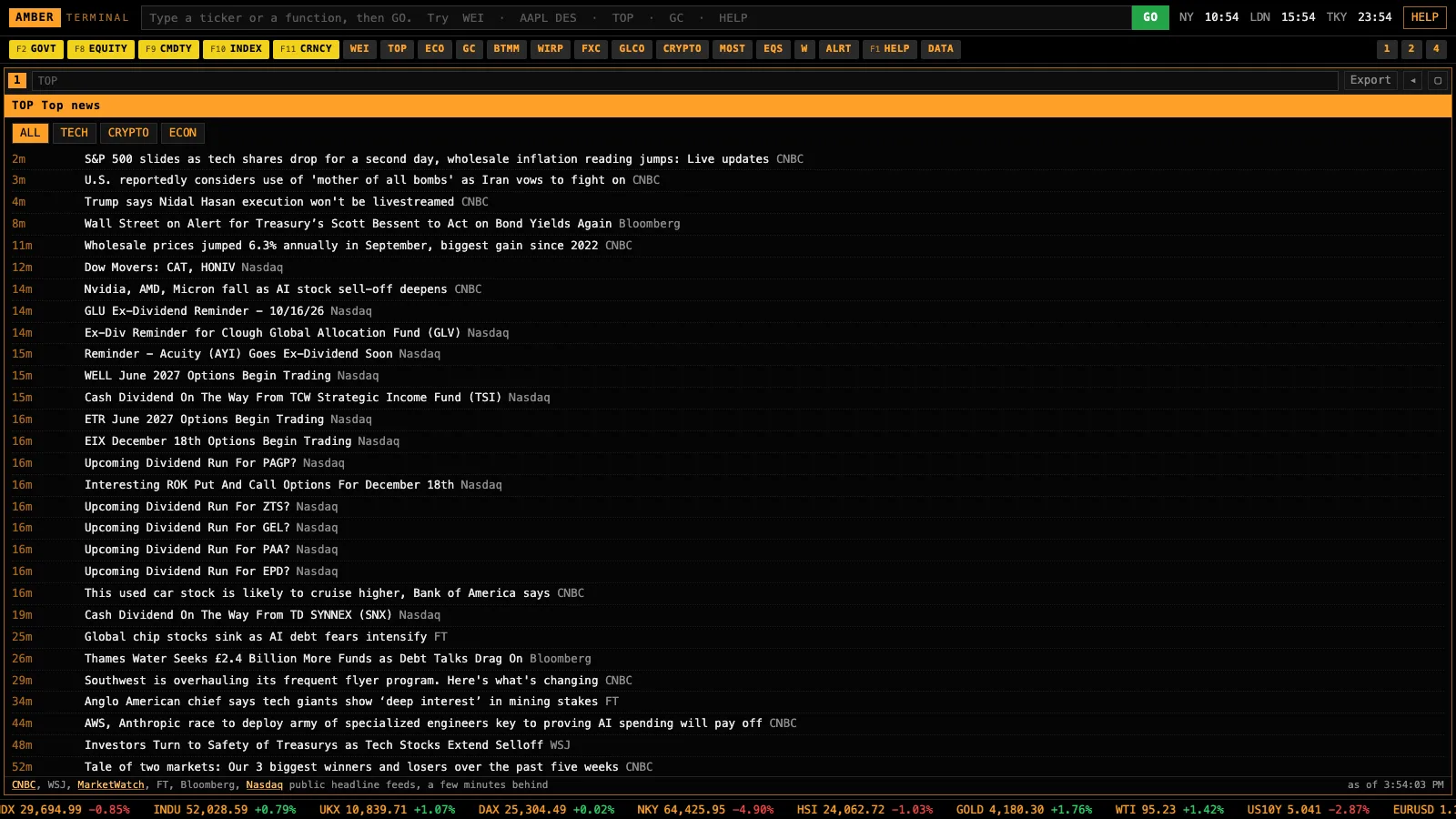
Market headlines from public feeds, and news for any company.
Bloomberg: its own newsroom of 2,700 journalists. This one reads public feeds.
- DES, FA, CF · Companies
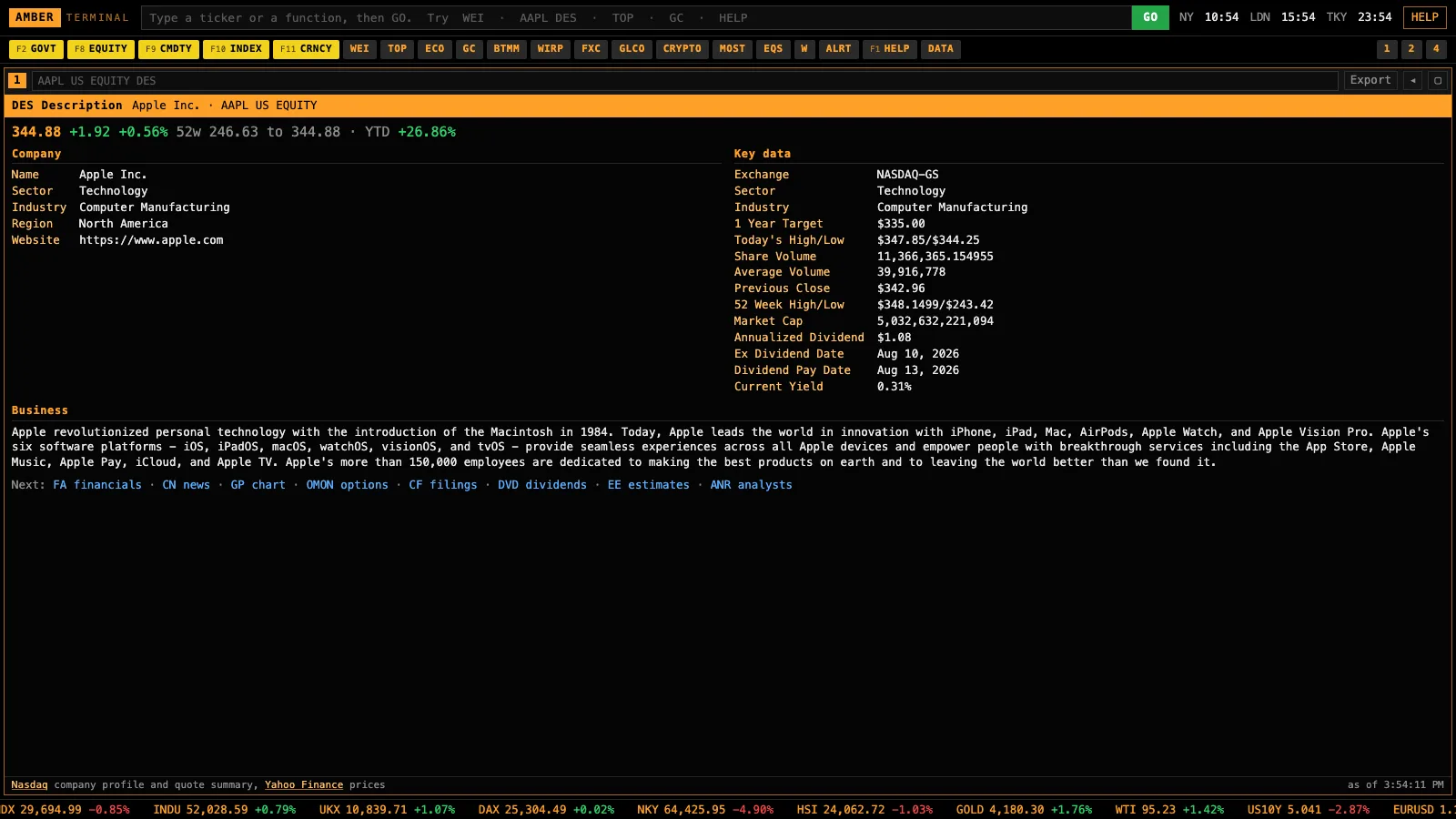
Description, five years of statements, and every SEC filing with a link.
Bloomberg: DES, FA, CF.
- INSD and HDS · Who’s buying
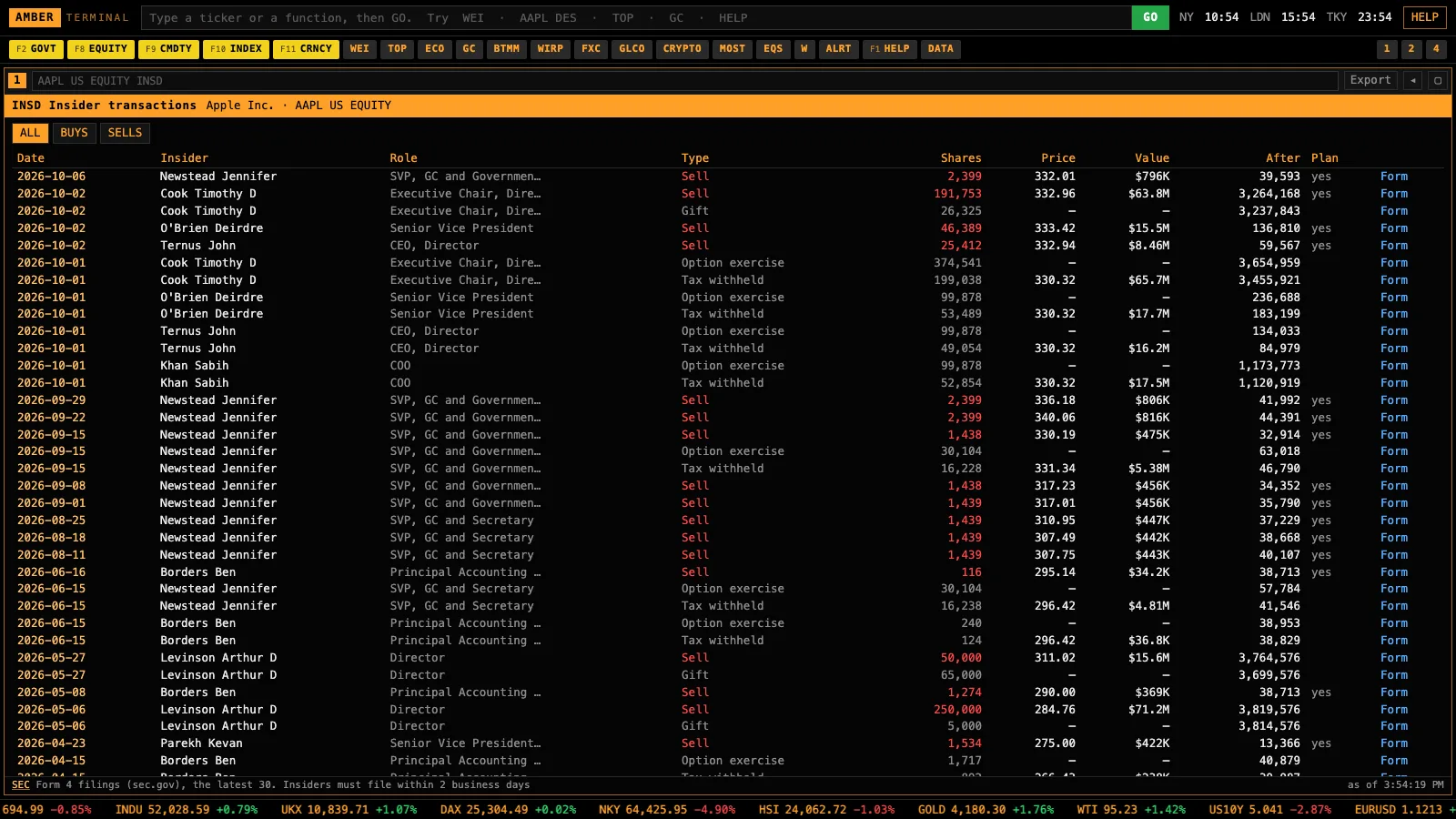
Insider buys and sells, and the biggest institutional holders.
Bloomberg: insider and holders screens.
- WEI, GLCO, FXC, CRYPTO · Markets
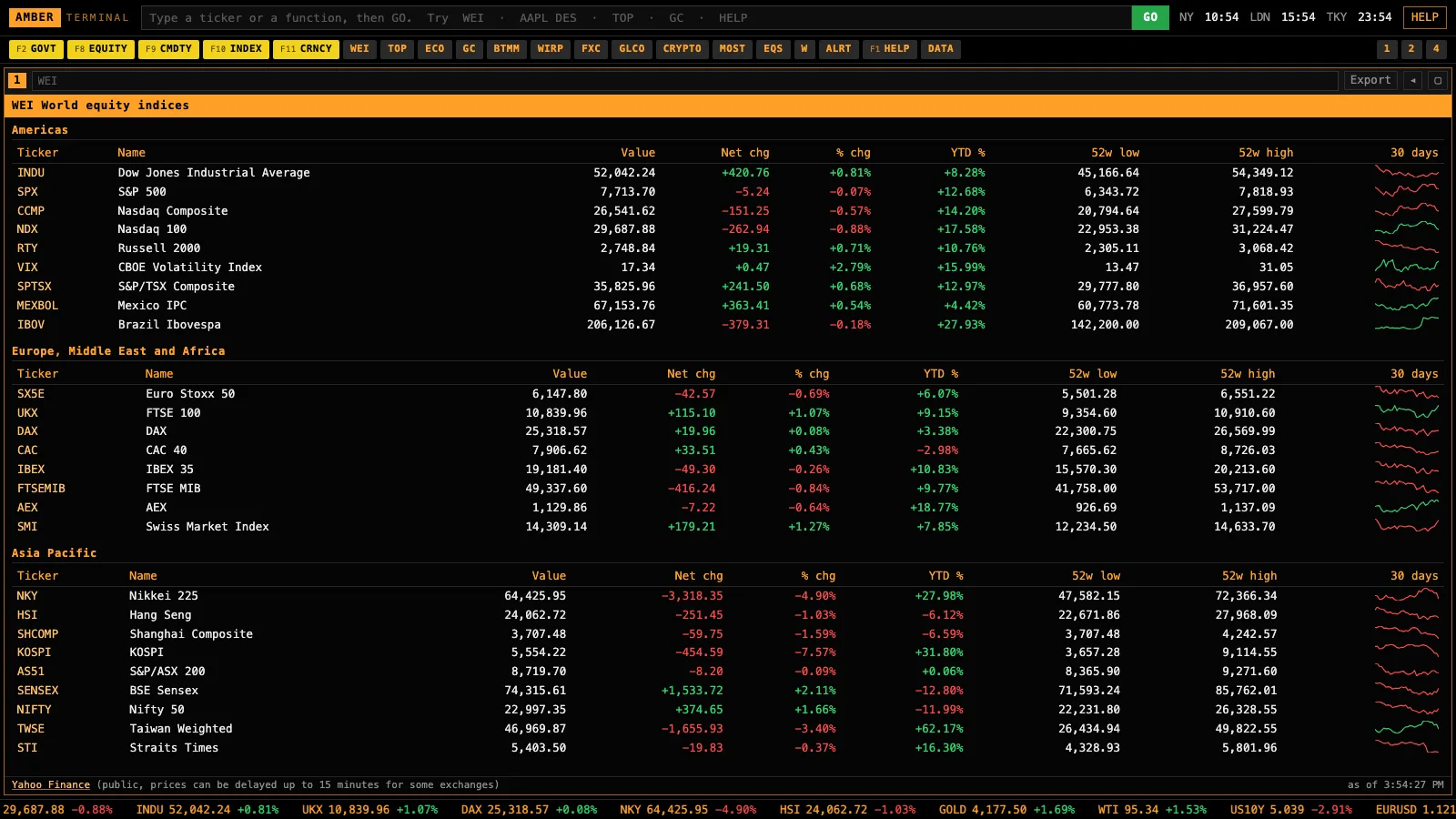
World indices, commodities, a currency cross-rate grid and crypto, refreshing on their own.
Bloomberg: WEI, GLCO, FXC.
- ECO, ECST, CBRT, COT · Macro
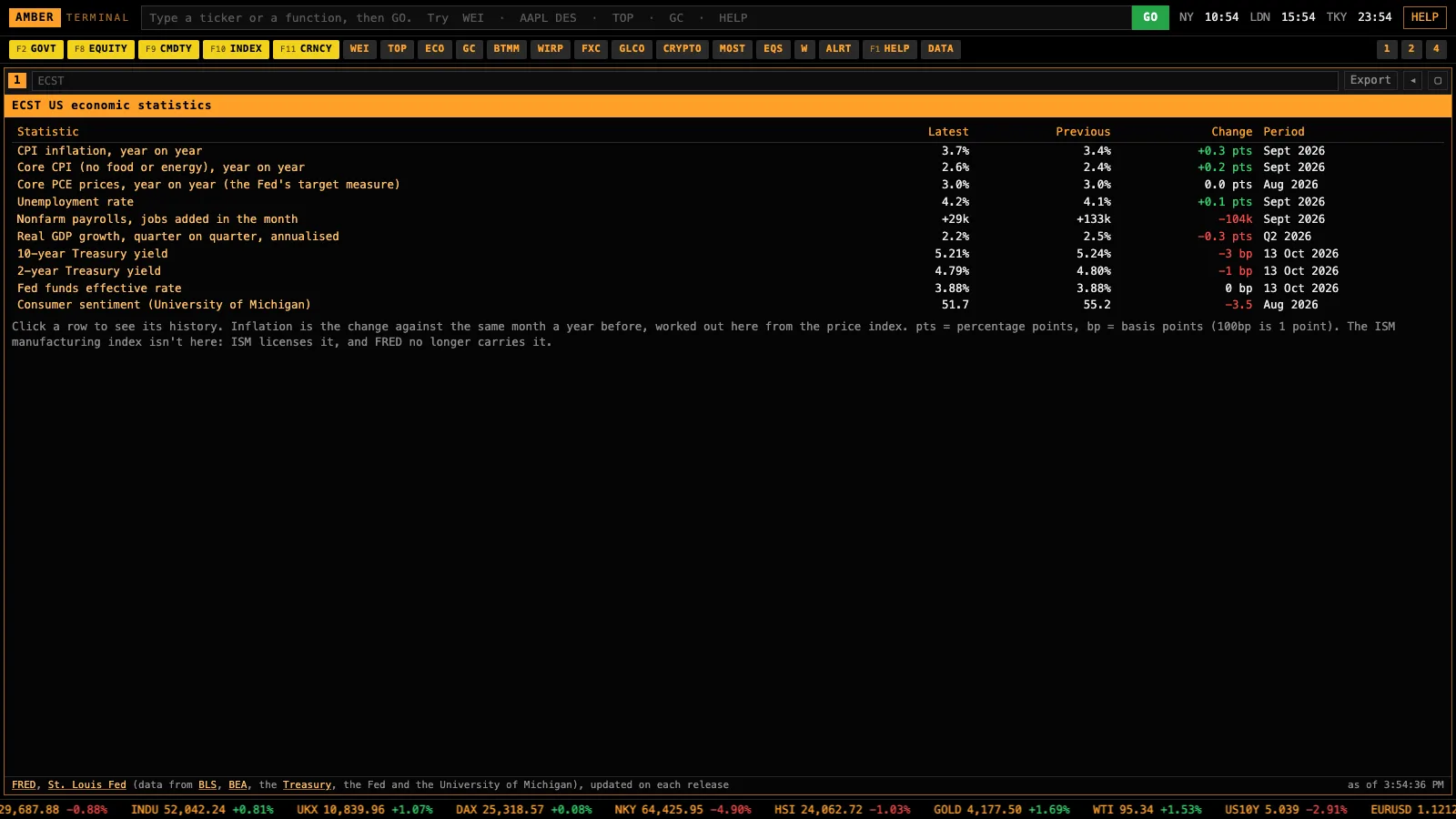
The economic calendar with actuals, US macro series, central bank rates and futures positioning.
Bloomberg: ECO, ECST.
- BonusASK · Claude reads your terminal
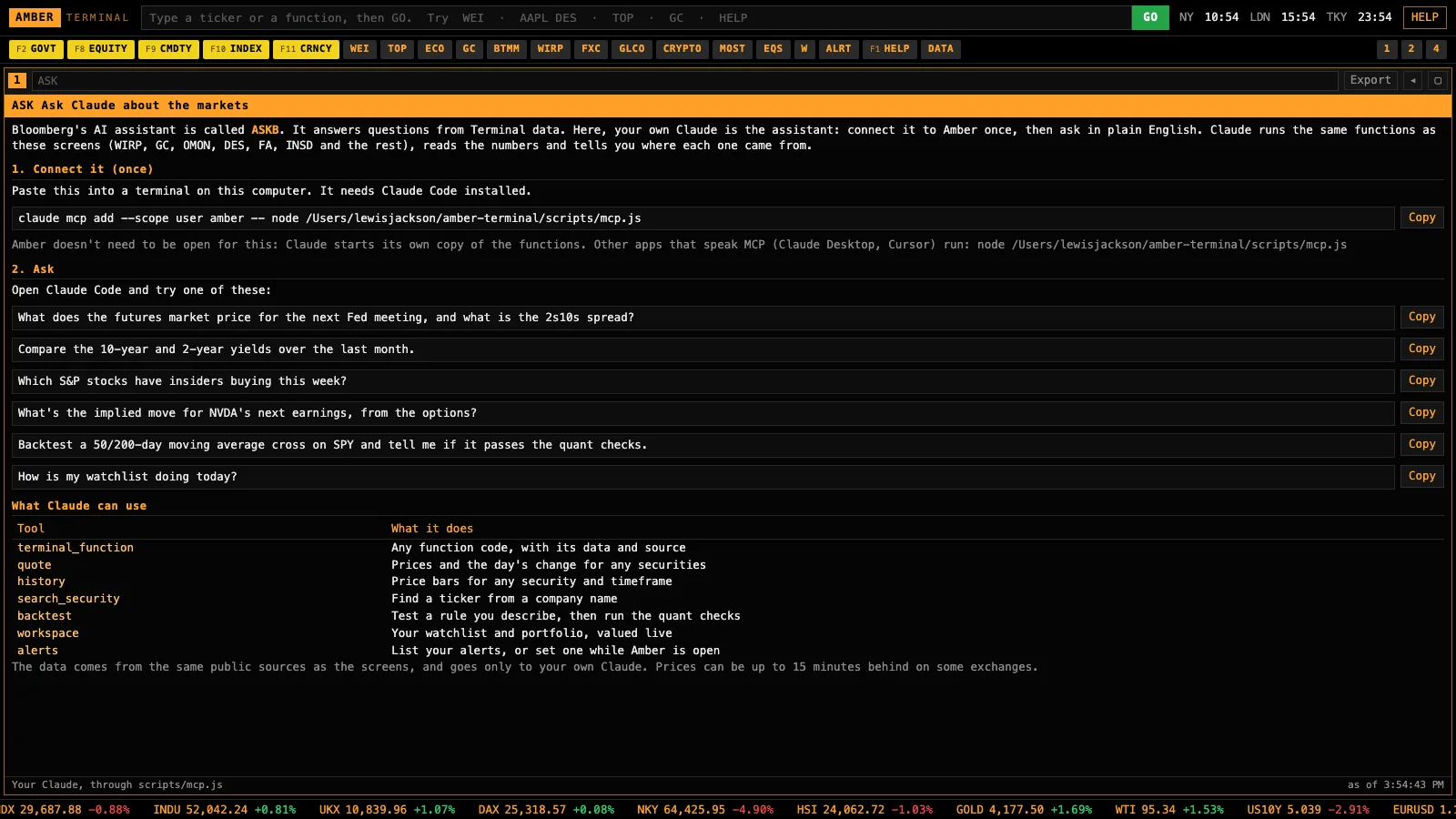
Connect your Claude with one line, then ask in plain English. It answers from the same screens and names where each number came from.
Bloomberg: ASKB, its AI assistant, open to every user from 15 Oct 2026.
- API · Excel and Python
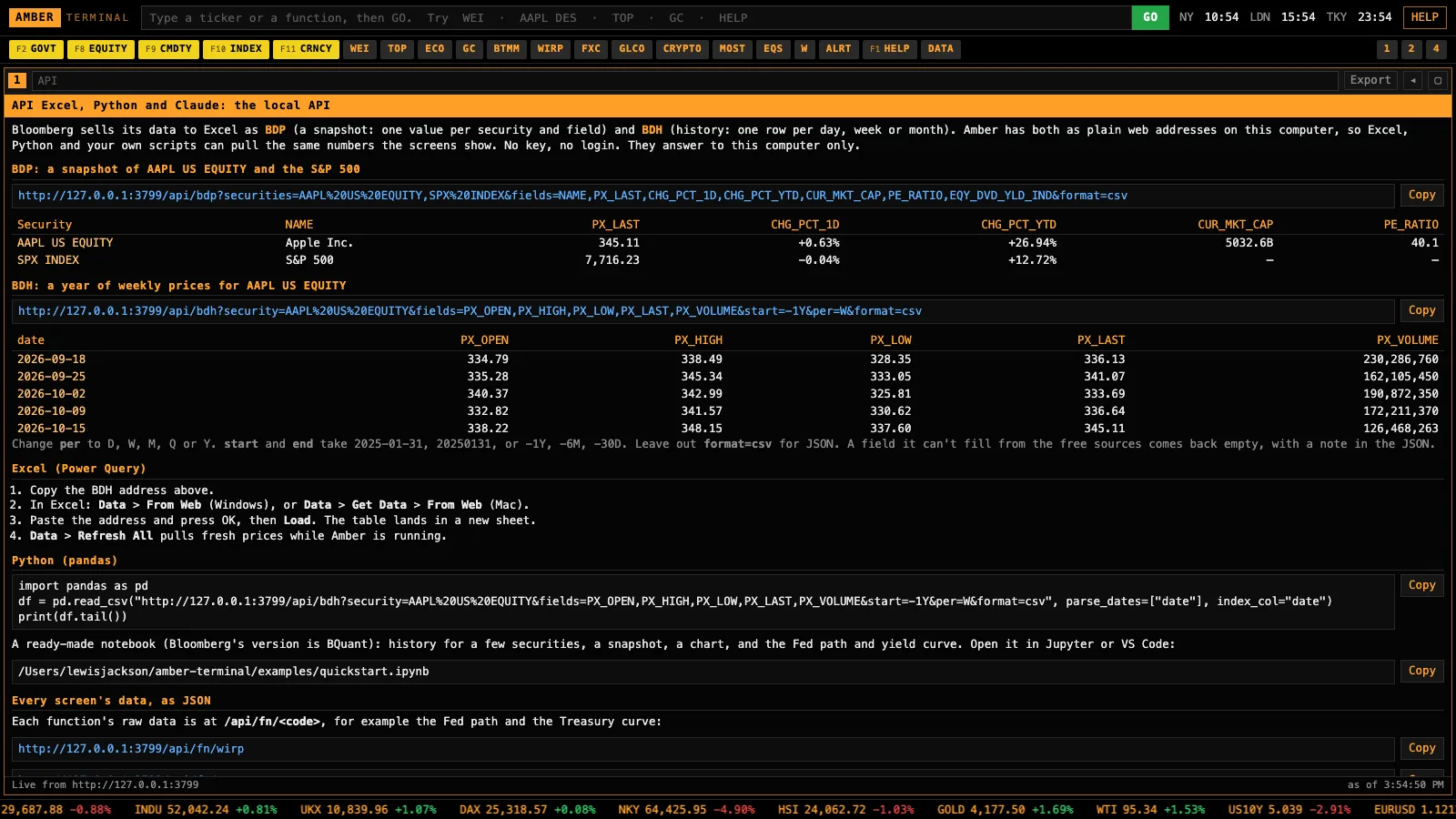
Bloomberg-style BDP and BDH requests as web addresses on your computer, so your spreadsheets and notebooks pull live numbers.
Bloomberg: the BDP and BDH formulas in its Excel add-in.
- W, PORT, ALRT · Watchlist, portfolio, alerts
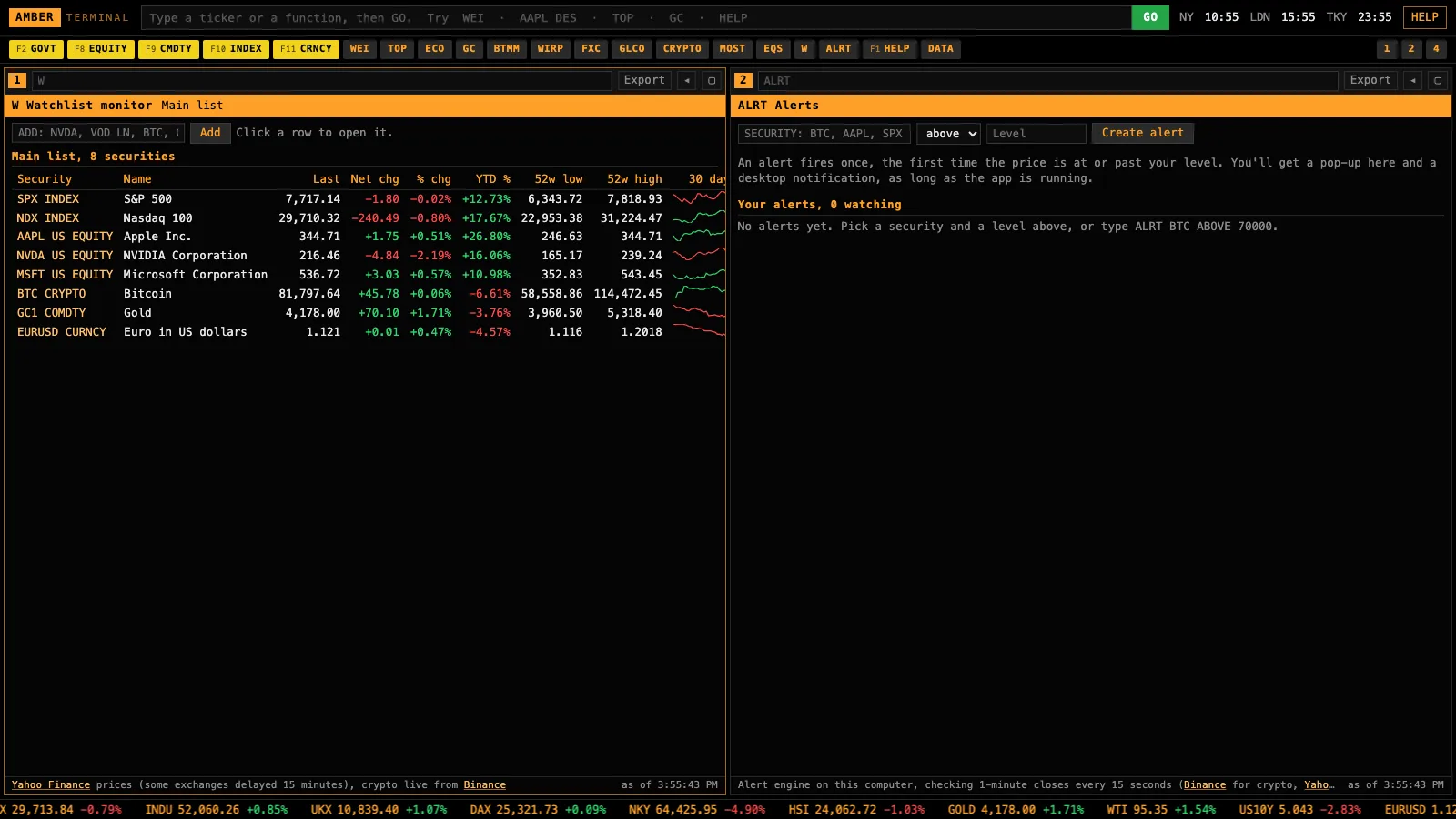
Track your list, import your holdings from a Schwab, Fidelity or IBKR export, and get a pop-up when a level breaks.
Bloomberg: Launchpad monitors and alerts.
- EQS and COMP · Screen and compare
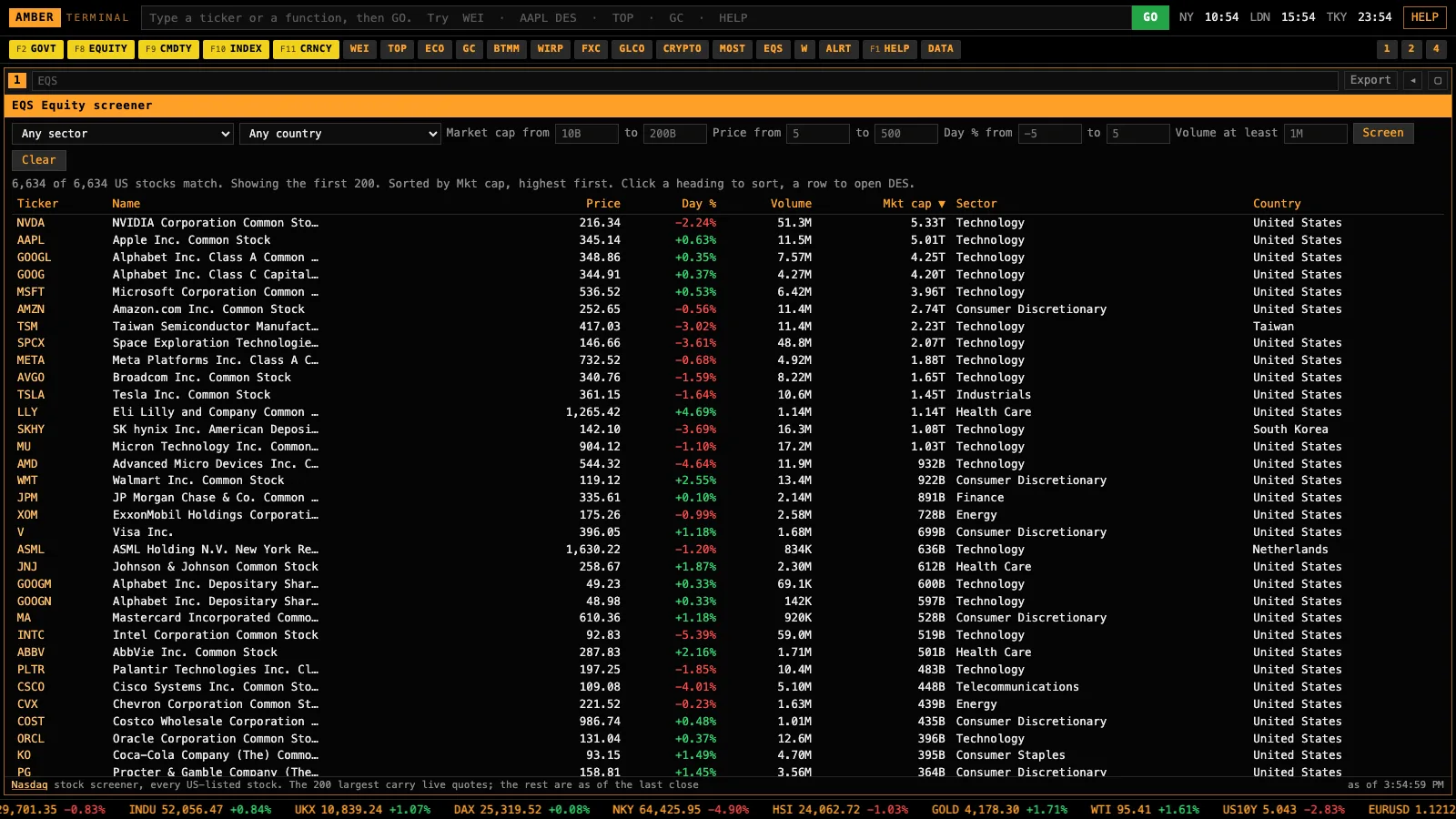
Filter every US-listed stock by your own rules, then compare returns, volatility and drawdown side by side.
Bloomberg: EQS and COMP.
- OVDV and CT · Volatility and futures curves
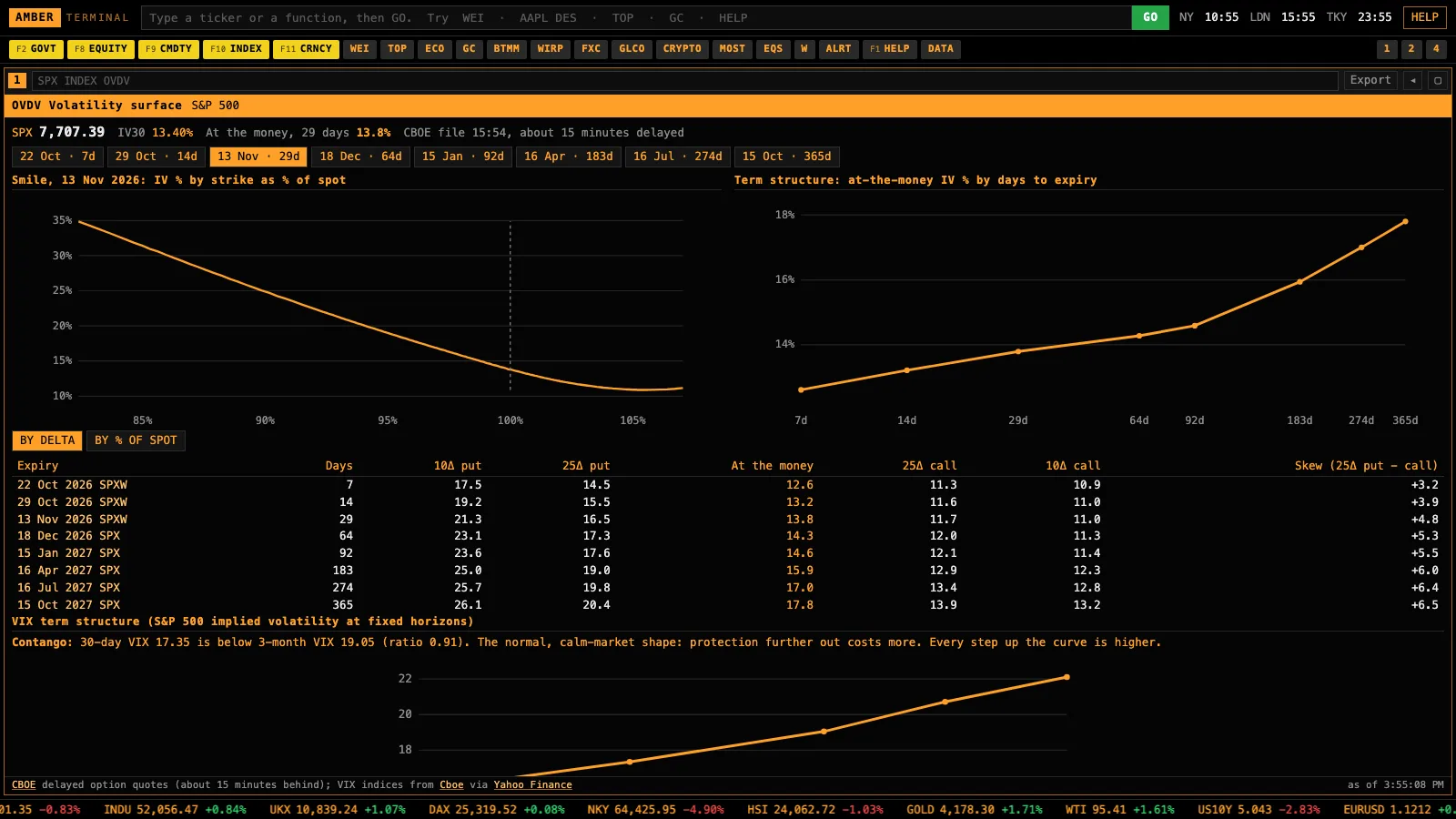
The volatility smile and term structure for an index or stock, and the futures curve for oil, gold, gas and more.
Bloomberg: OVDV and CT.
- CRED and AUCT · Credit and Treasury auctions
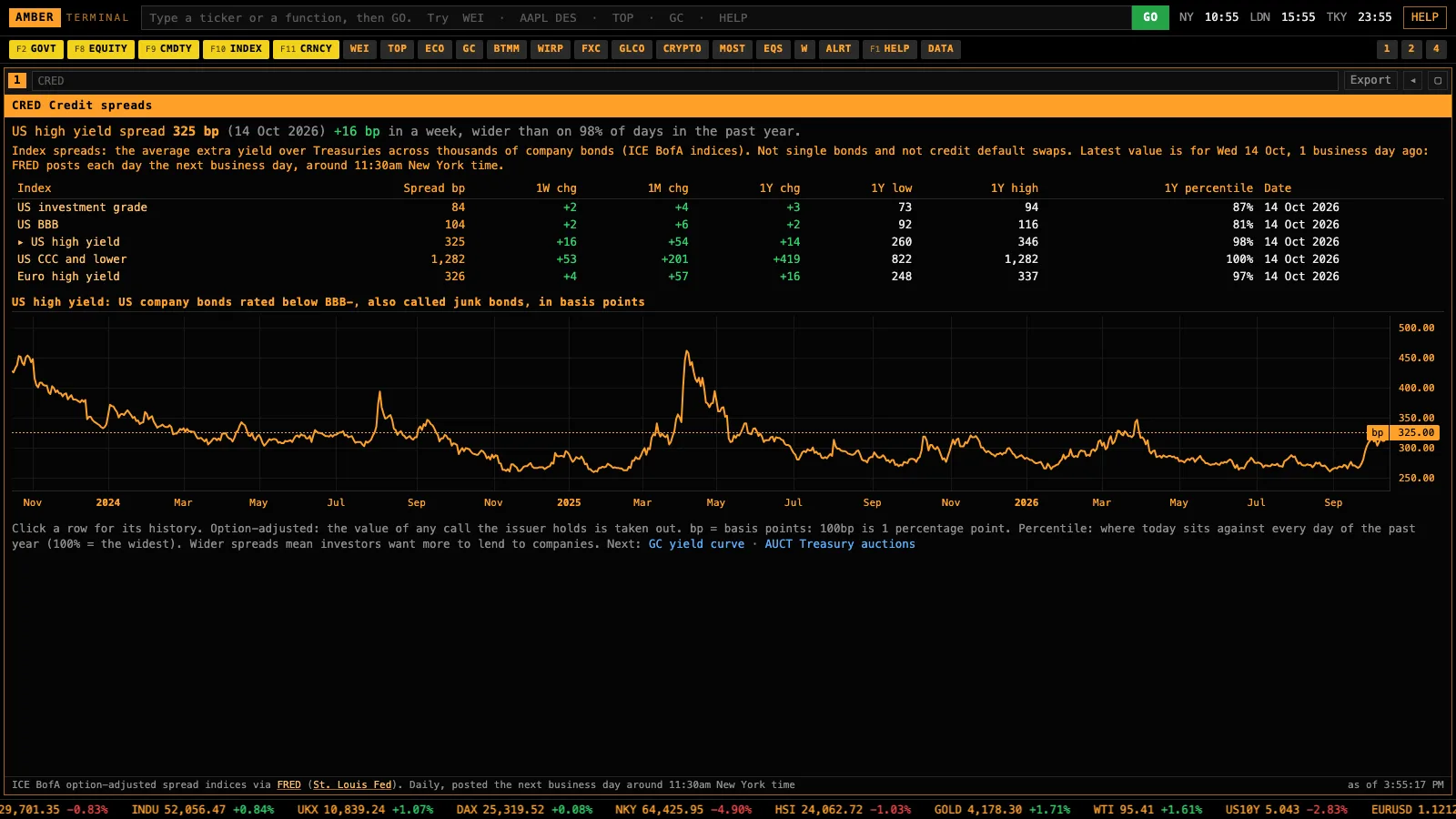
High-yield and investment-grade spreads against their past year, and every Treasury auction with its results.
Bloomberg: credit index and auction screens.
- DS and SURP · Filings and surprises
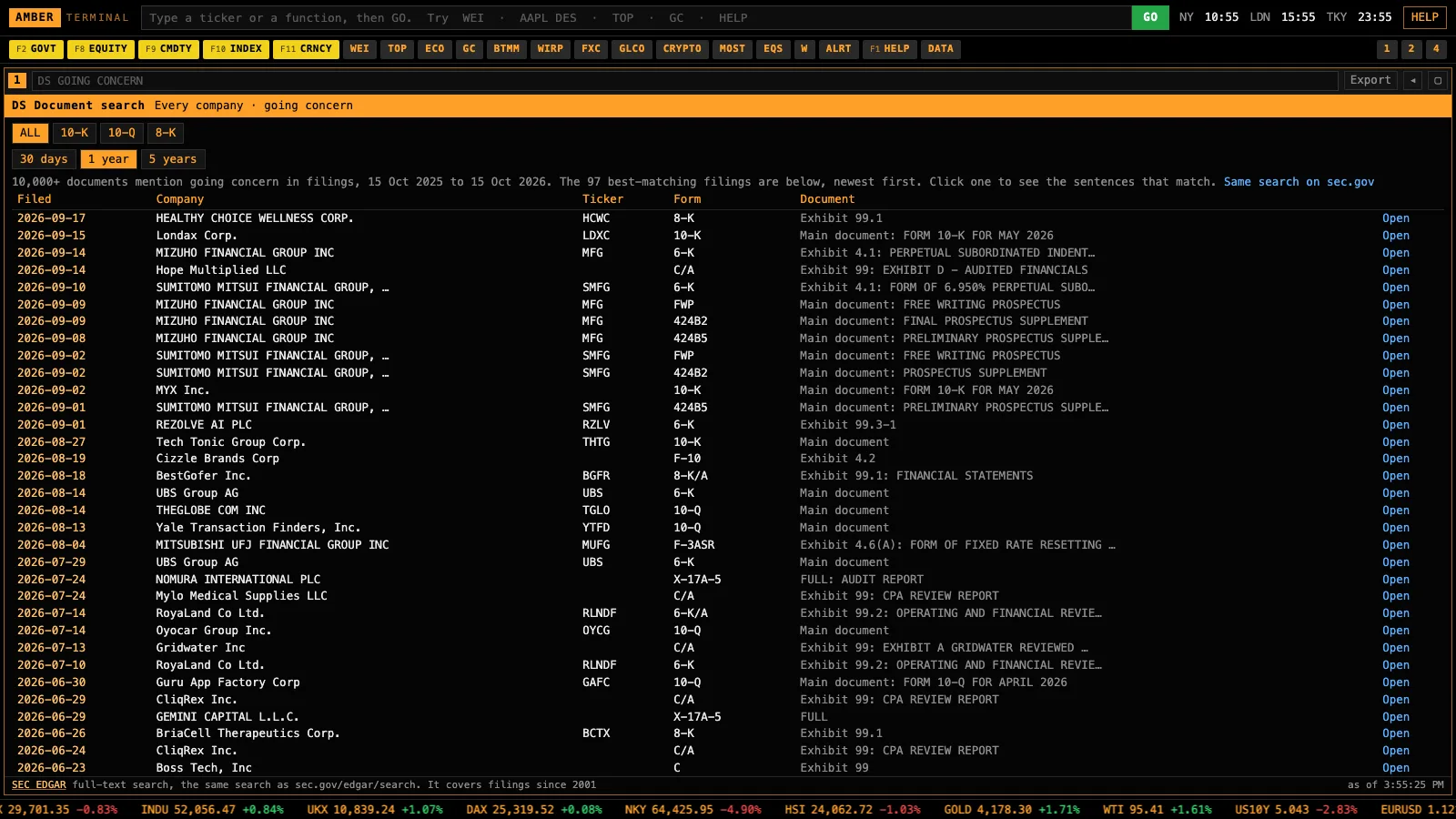
Search every SEC filing since 2001 for a phrase, and see how markets moved when data beat or missed forecasts.
Bloomberg: document search and economic surprise screens.
- EE, ANR, DVD · Estimates and dividends
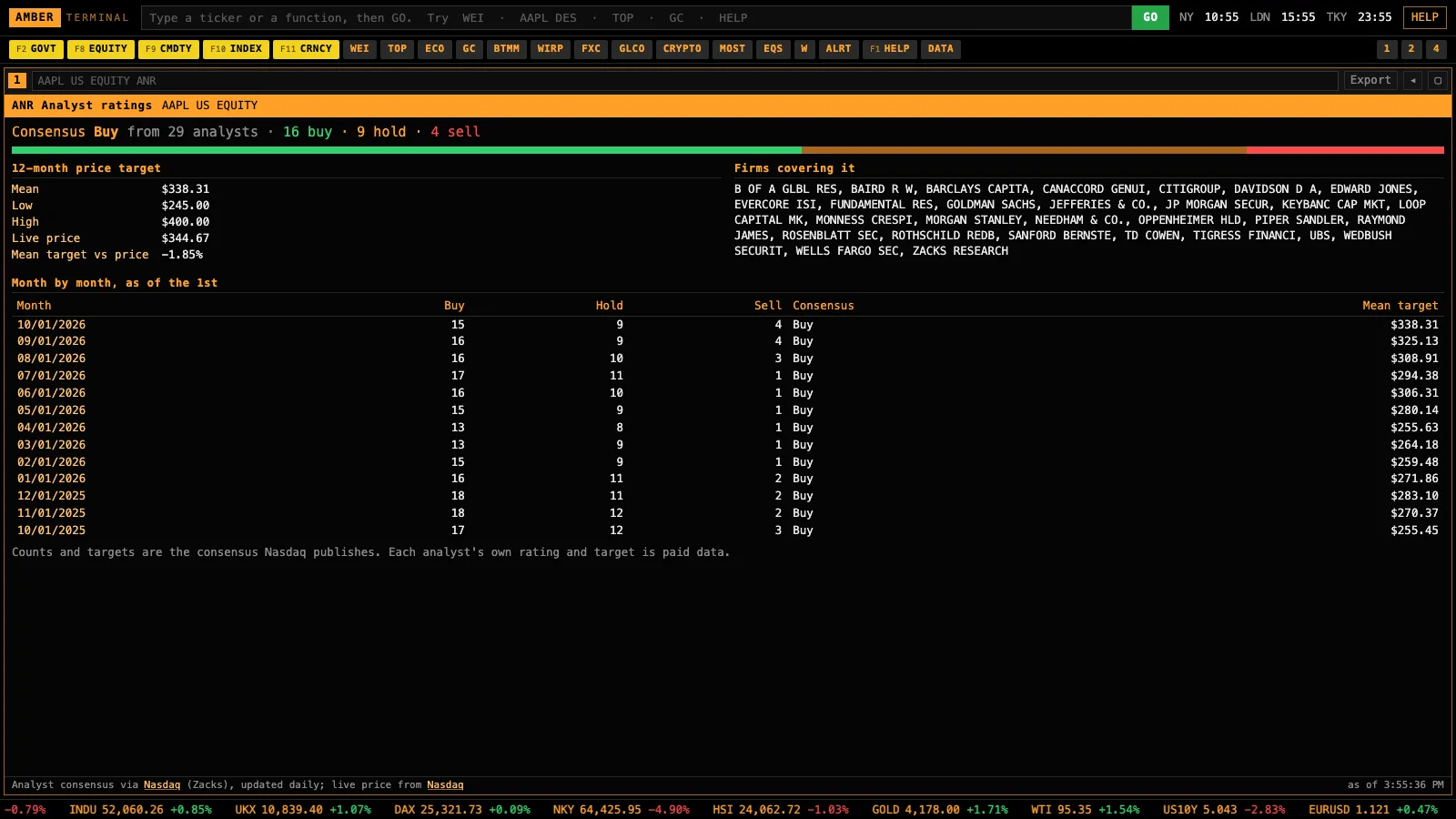
Consensus earnings estimates and past surprises, analyst buy, hold and sell counts with price targets, and dividend history.
Bloomberg: EE, ANR, DVD.
- Four panels and your own screens
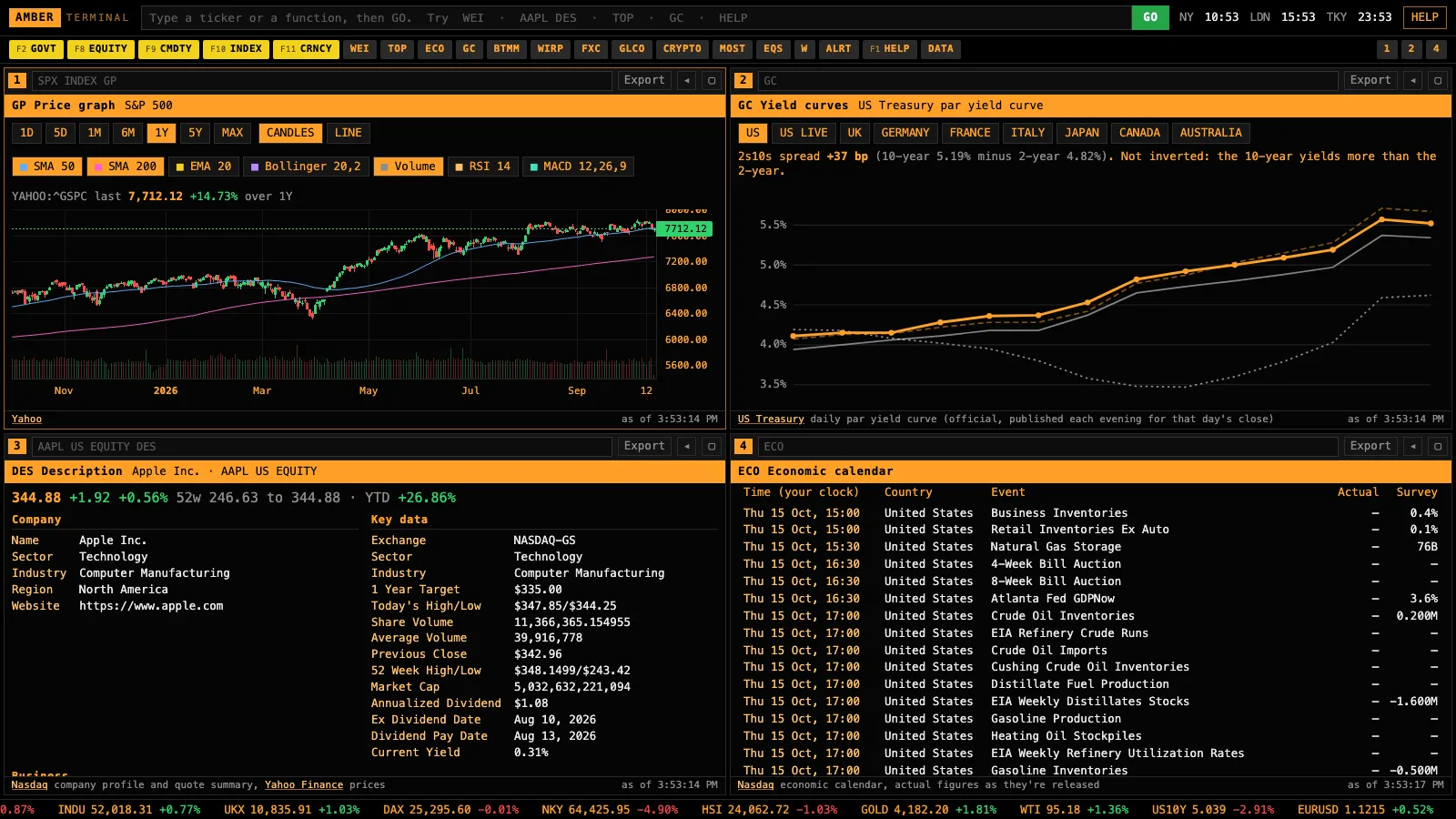
Run four screens at once. Ask Claude for a screen it doesn’t have and it adds a new function code.
Bloomberg: Launchpad and ASKB.
Function codes follow Bloomberg’s names where one exists, so if you’ve used a Terminal you already know where things are.
Build it with people doing the same.
Join the Academy
The 7-day build path, a monthly live call, support when the install sticks and a trading buddy.
Recurring $29/month membership. Cancel any month. The $997 Skool Premium tier and PTQ software are not included.
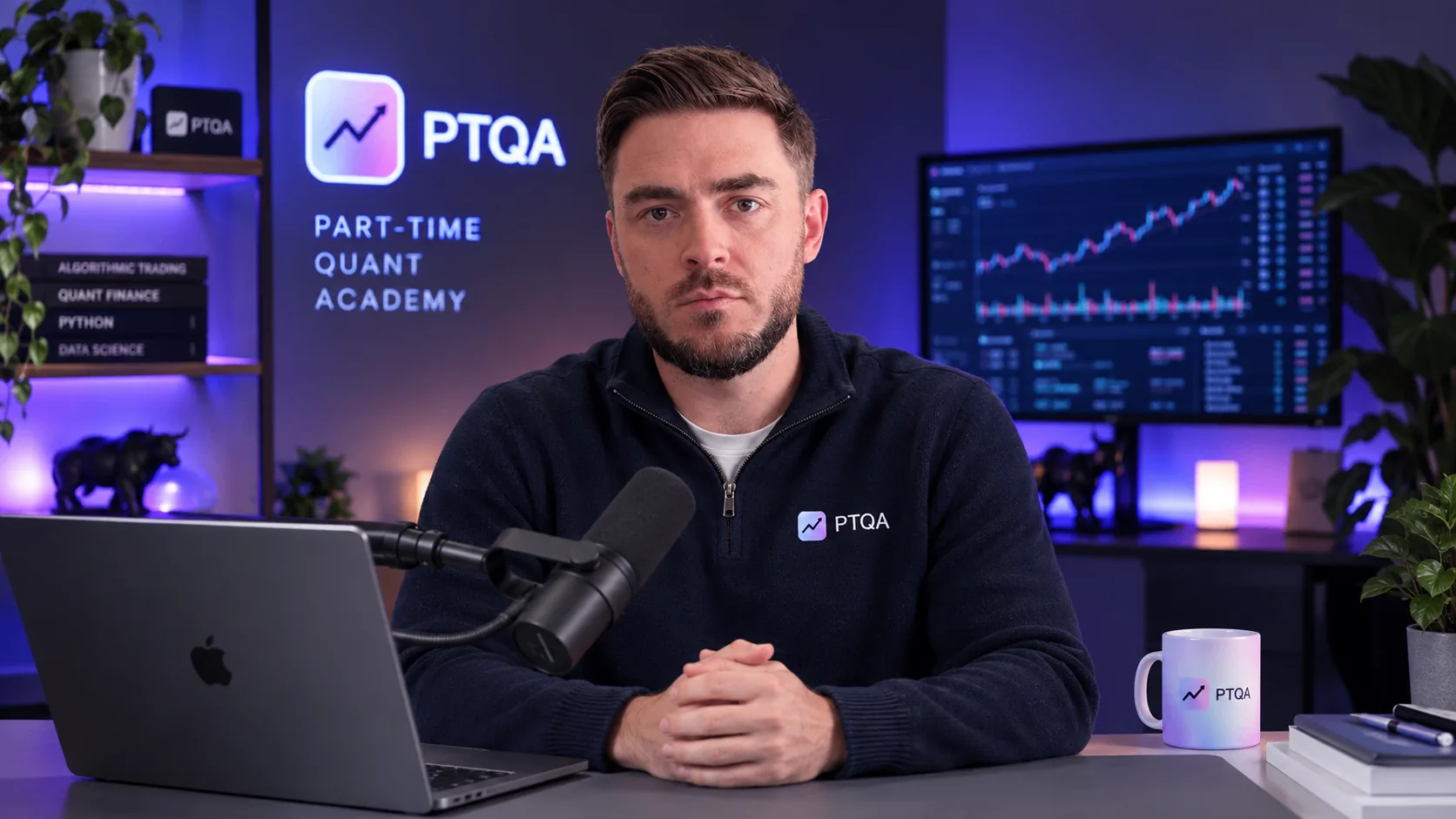
I’m Lewis Jackson.
I built Amber Terminal for this video, and PTQ before it. In the Academy I walk you through testing your own ideas, with prompts you can run alongside the lessons.
Trading involves risk. These educational materials do not promise returns.
Start with the Academy ↗Questions
Does it cost anything?
No charge for the prompt or the app. You need Claude Code or Codex to run the prompt, and those come with their own plans.
Where does the data come from?
Public sources that need no account: the exchanges, Nasdaq, Yahoo Finance, the US Treasury, the New York Fed, FRED, the SEC, CBOE, the CFTC and the BIS. The table above says how fresh each one is. It’s not a paid exchange feed, so use your broker’s prices to trade.
Is this Bloomberg?
No. It’s a Bloomberg-style terminal I built from Bloomberg’s public pages and public data, and it isn’t affiliated with Bloomberg. It covers the screens people use most. It doesn’t have Bloomberg’s paid data, its newsroom or its chat.
Do I need to know how to code?
No. You paste one prompt and the agent does the setup.
How long does it take to set up?
In my test, Claude Code installed it from the prompt in 31 seconds, including checking every data source. If your computer doesn't have Node.js, the agent installs it first, after asking you.
Is it real time? Can I day trade with it?
Crypto is live. Stocks, indices and futures are public quotes, and some exchanges run up to 15 minutes behind; each screen says which. It's a research terminal. If you day trade and already pay for a data feed, ask Claude to plug it in.
Can I plug in my own paid data feed?
Yes. Ask Claude, in the folder where you installed it, to add your provider (for example Polygon, Alpaca or Interactive Brokers) with your own key. The app is built so a new source slots in next to the public ones.
Does it work for UK, European or Indian stocks?
Yes for prices, charts and company descriptions: type the ticker and the exchange code, like VOD LN, SAP GR or RELIANCE IN. Filings, insider trades, holders and options are for US-listed securities.
Can I get the data into Excel or Python?
Yes. Every table exports to a spreadsheet, and the app answers Bloomberg-style BDH and BDP requests as web addresses on your own computer, so Excel and Python on that computer can pull from it. Type API in the app for the exact links.
Can Claude use it?
Yes. One line connects your Claude to the terminal, then you can ask things like "what does the futures market price for the next Fed meeting?" and it answers from the same screens. Type ASK in the app for the line.
Will Bloomberg mind?
It's my own code, built from Bloomberg's public pages and published help guides and from public data. It uses the function names to describe what each screen does, and it isn't affiliated with Bloomberg or endorsed by it.
Does it work on Windows?
Yes. Windows, Mac and Linux, with Node.js 18 or newer.
Can it trade with real money?
Not on its own. If you want real trading, use PTQ: a strategy that passes PTQ’s checks can trade through your own exchange or broker account once you arm it in PTQ.
Can I add my own screens?
Yes. Ask Claude for the screen you want, in the folder where you installed it, and it adds a new function code.
How do I update it?
Paste the prompt again in the same folder. Your layout stays.