Quant Terminal, from the video.
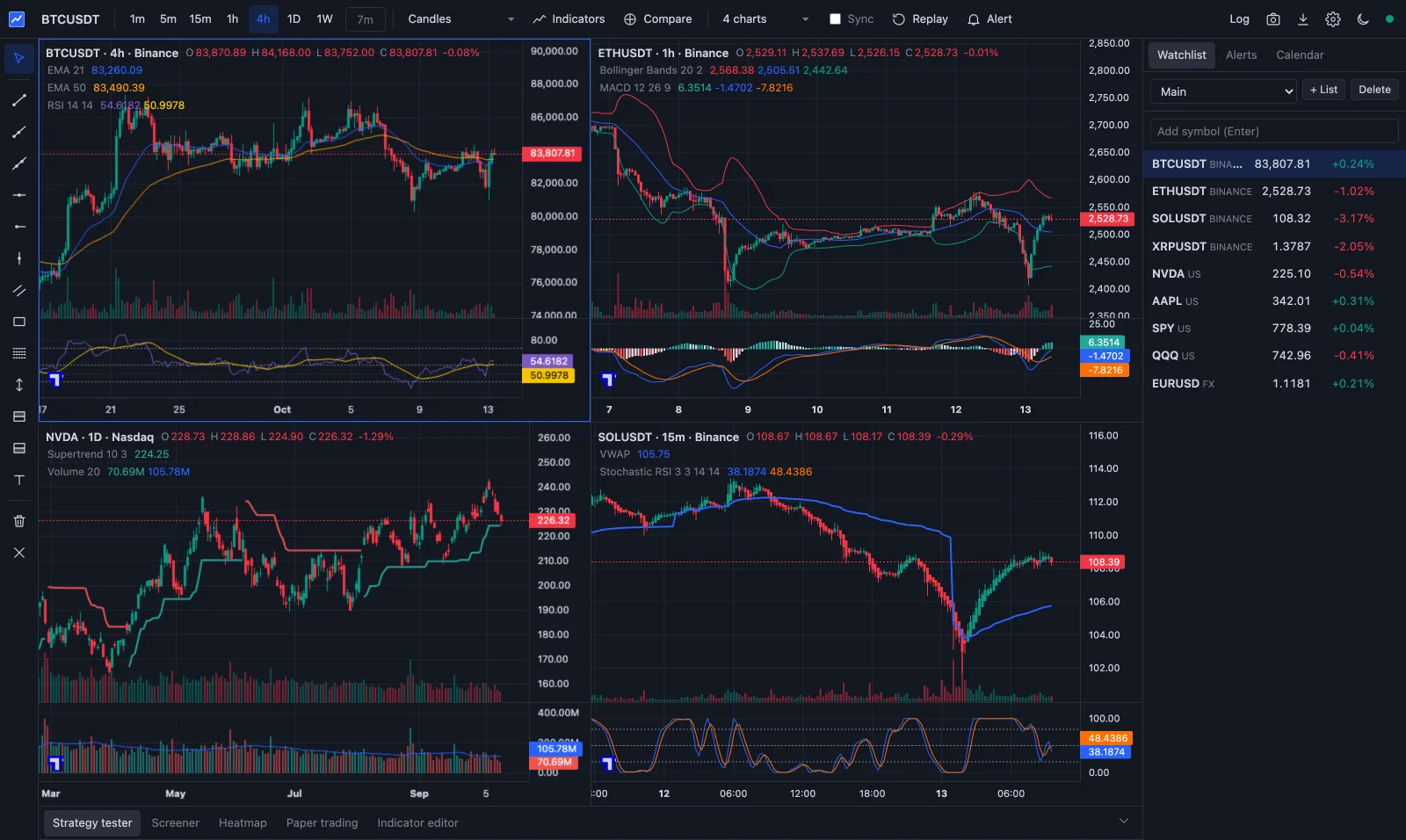
Paste one prompt into Claude Code or Codex and a TradingView-style charting app runs on your own computer, with the quant checks I use built into its strategy tester.
No charge for the prompt or the app. Mac, Windows or Linux.
The one-shot prompt
Fill in the form to unlock it.
What you get
The parts of TradingView I use most, rebuilt to run on your machine.
- BonusQuant checks on every backtest
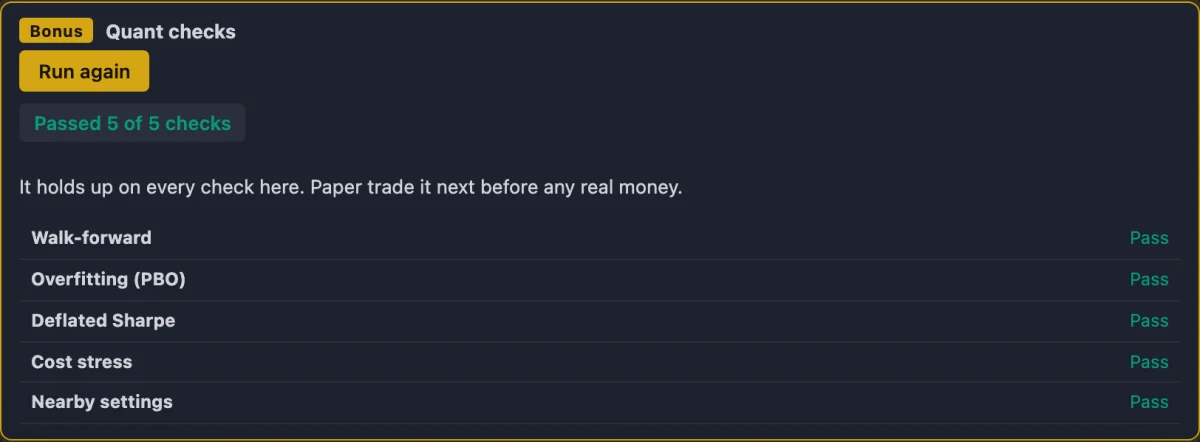
Walk-forward, overfitting, deflated Sharpe, cost stress and Monte Carlo: the same kinds of checks my quant software runs.
TradingView: not built in.
- Up to 16 charts
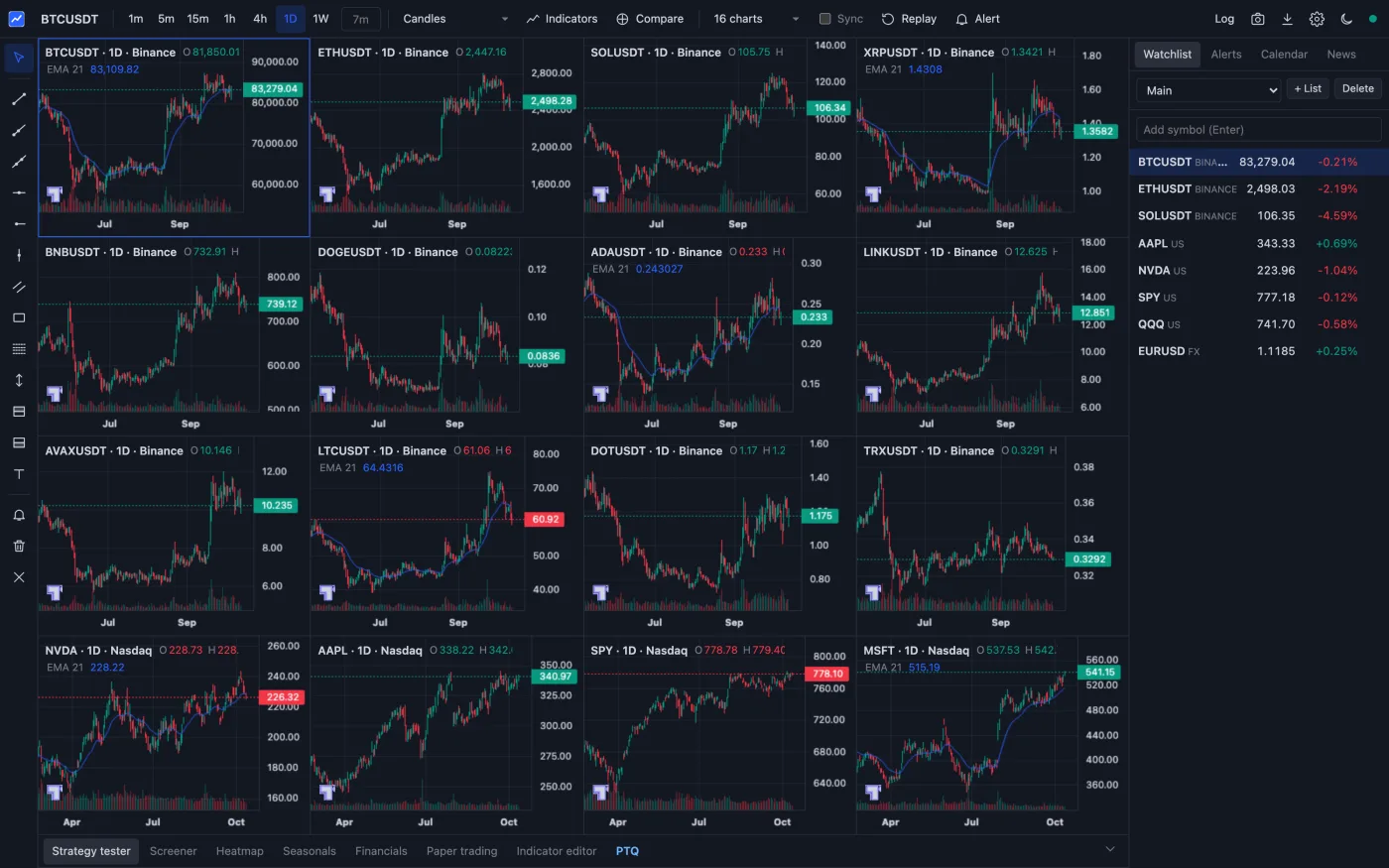
On one screen, with symbols and crosshairs synced.
TradingView: 16 on Ultimate only.
- Any timeframe
1 second to 1 month, or make your own.
TradingView: seconds and custom are paid.
- 87 indicators, no cap per chart
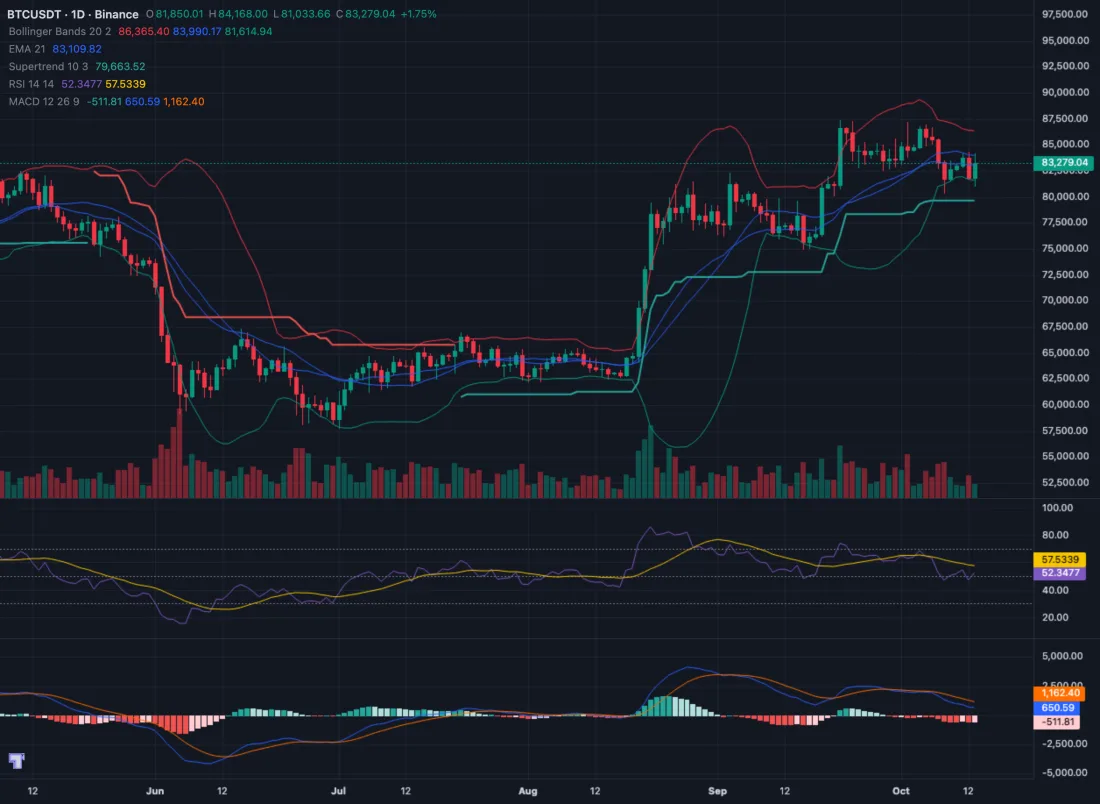
Stack as many as you like, including anchored VWAP and session volume profile, or write your own.
TradingView: 400+, but 2 per chart on Basic.
- 13 drawing tools
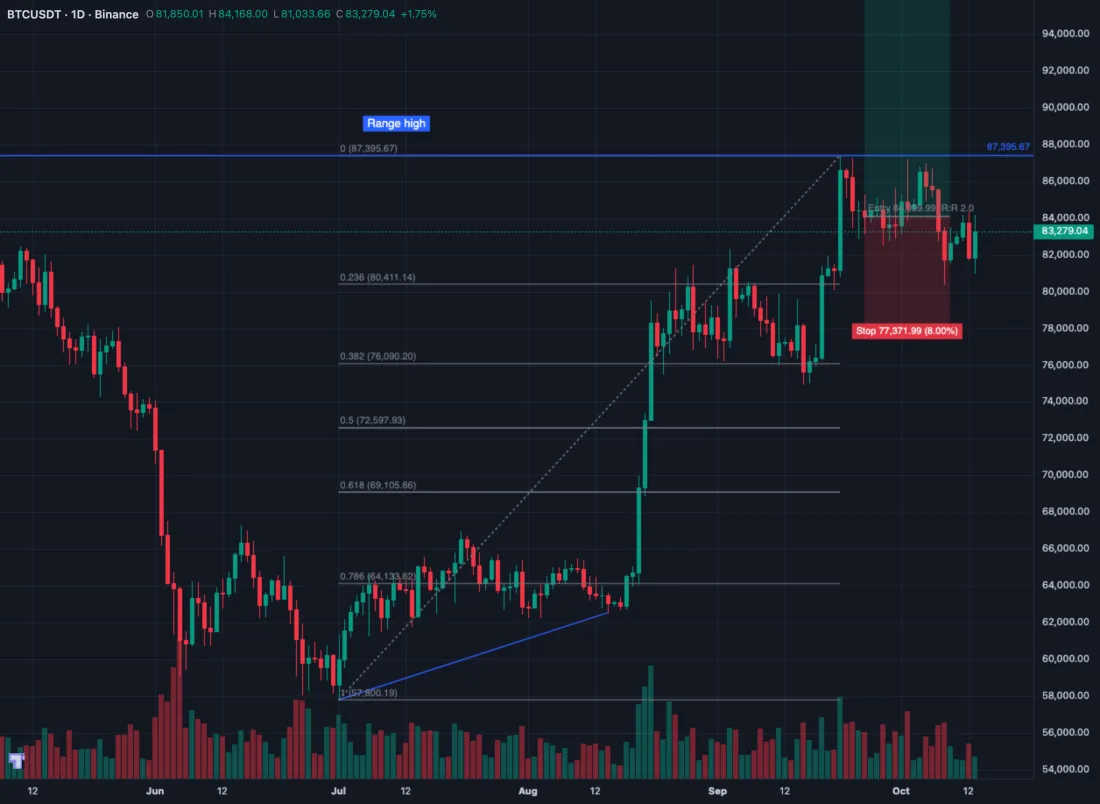
Trend lines, Fib, channels, position boxes, notes.
TradingView: 110+.
- Alerts with webhooks
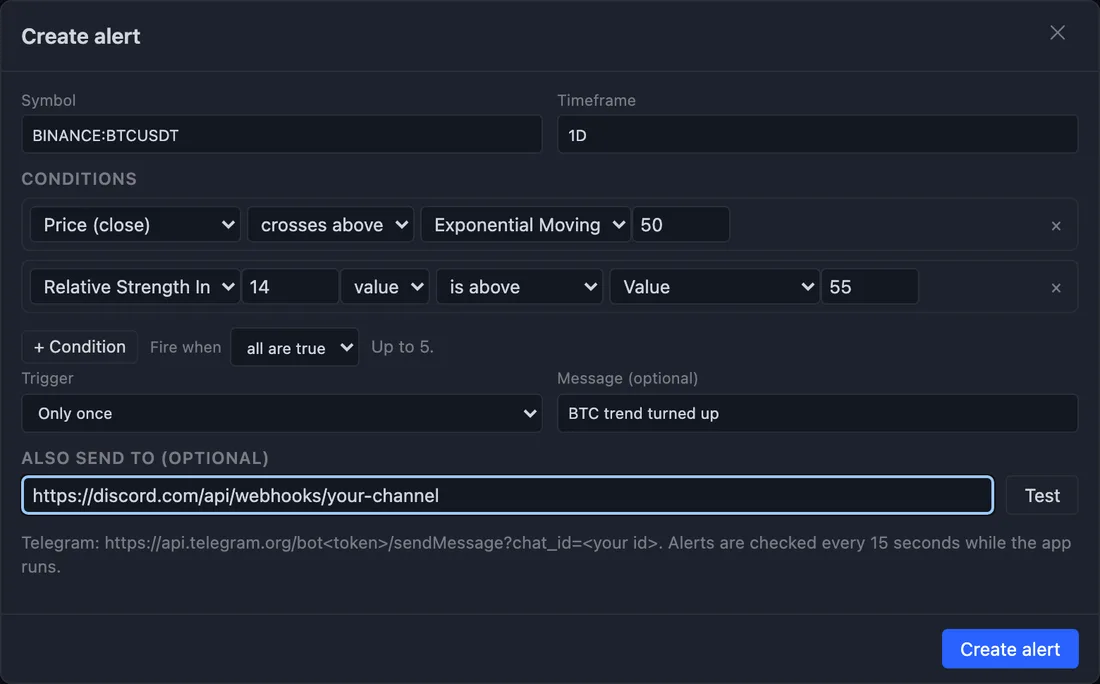
Up to five conditions, sent to Discord, Telegram or any webhook.
TradingView: runs in its cloud. These run while the app is open.
- Strategy tester
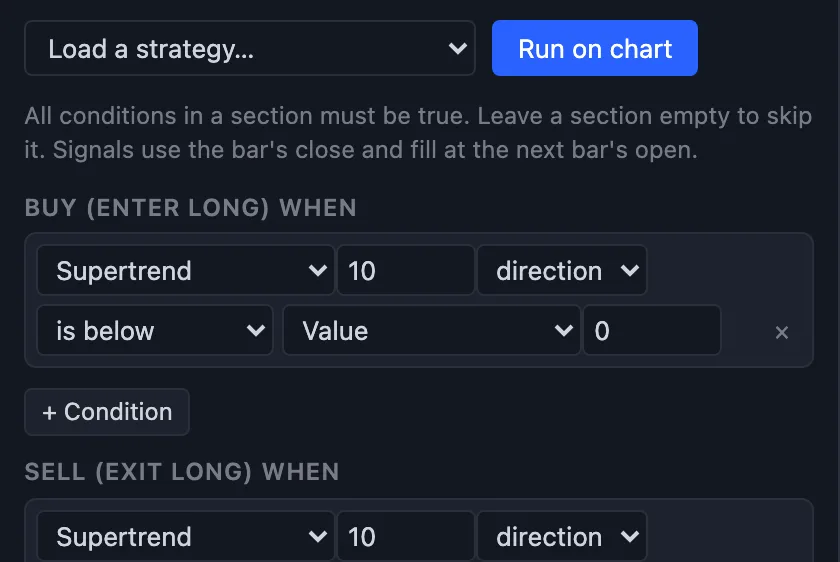
Your rules on past bars, fees and slippage counted.
TradingView: strategies in Pine Script.
- Bar replay
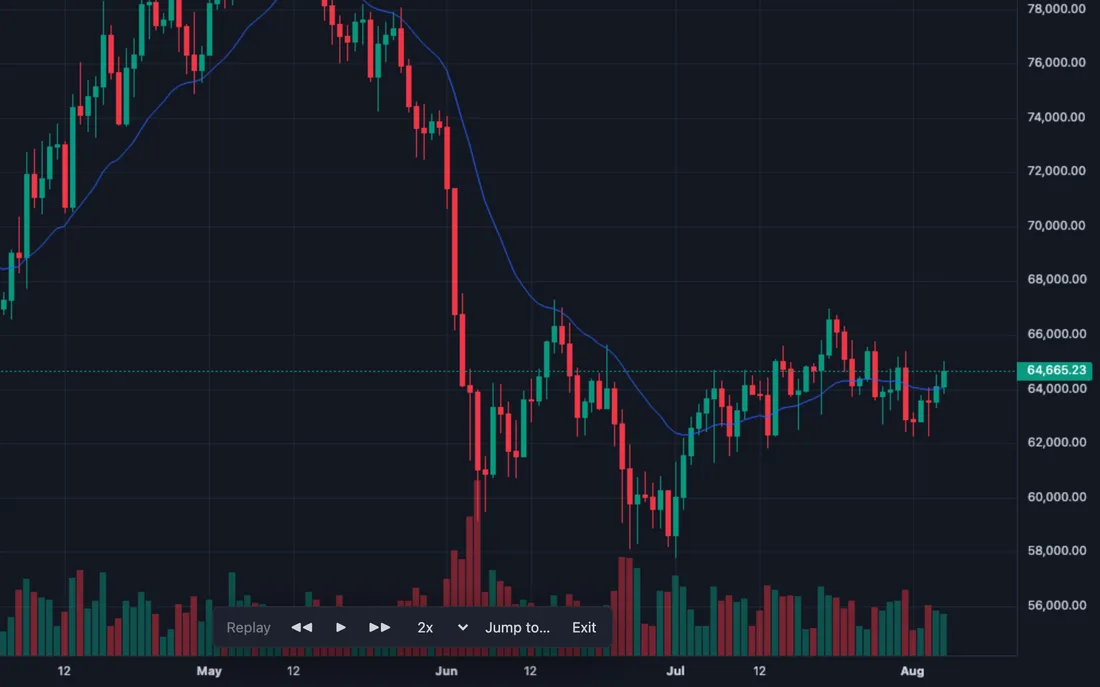
Play the past forward on every chart, and paper trade it.
TradingView: paid plans only.
- Paper trading
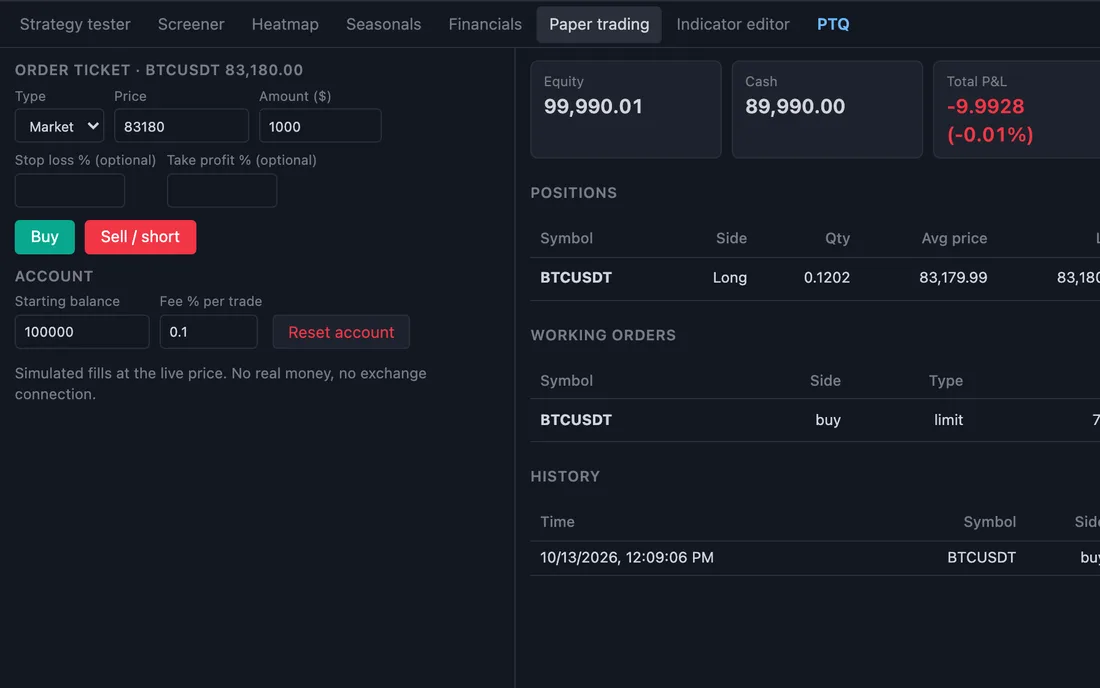
Live prices and a pretend $100,000.
TradingView: a simulated broker.
- Screener and heatmap
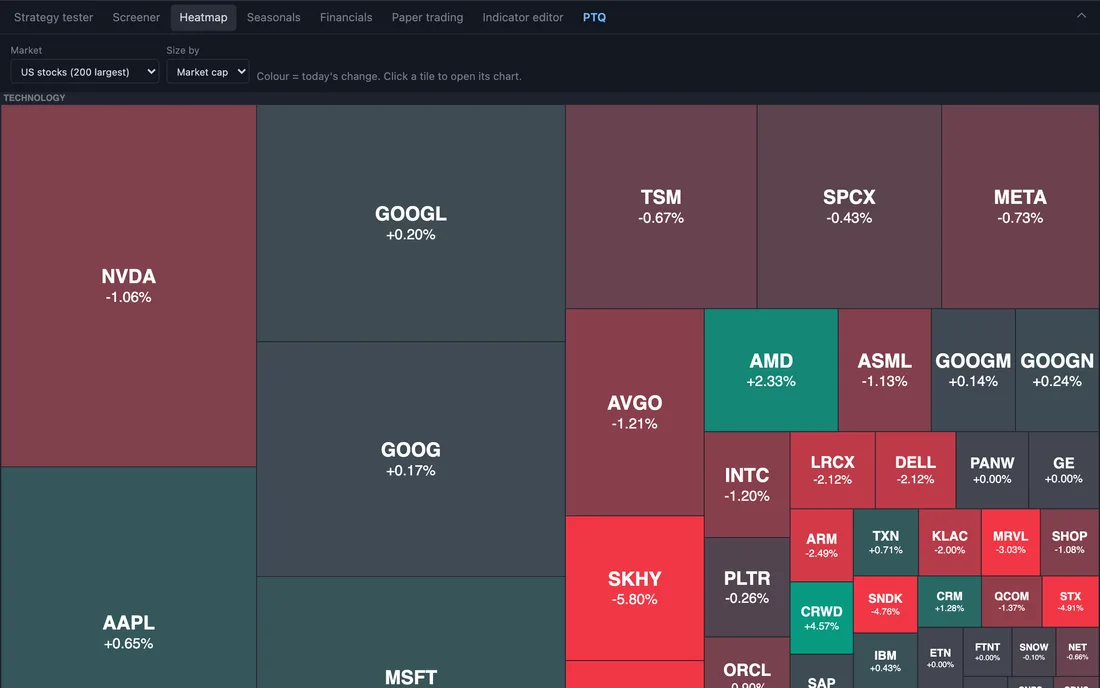
US stocks, ETFs and crypto. Heatmap of the 200 largest.
TradingView: far more filters.
- Research
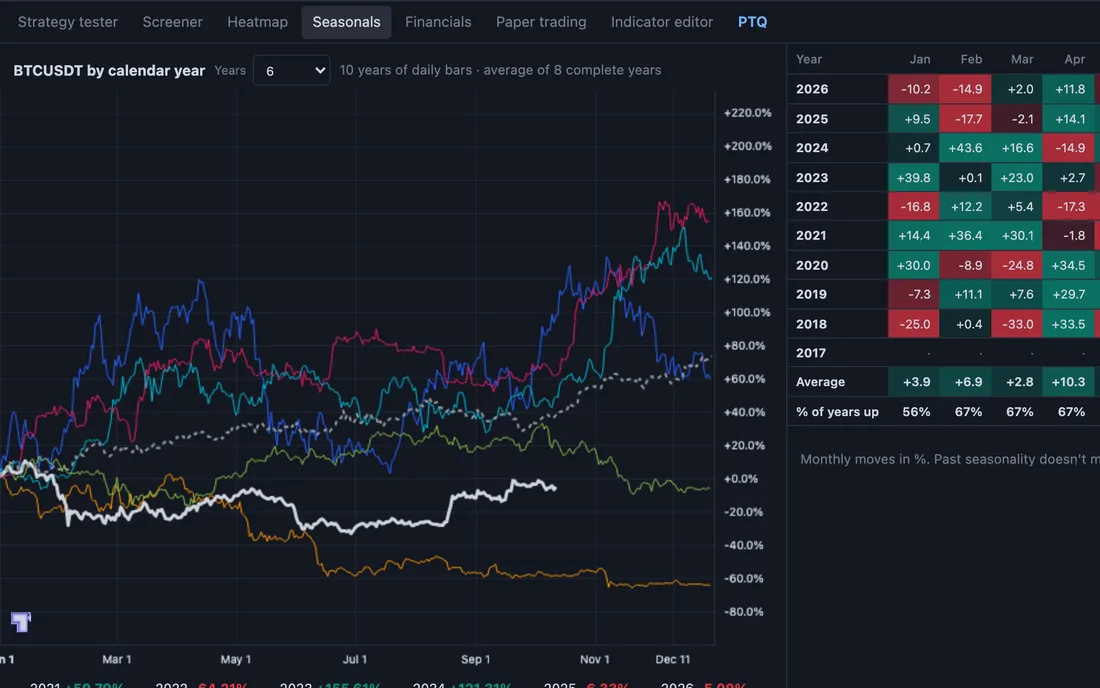
Seasonals, earnings, dividends, news and financials.
TradingView: 100+ financial metrics.
- Economic calendar
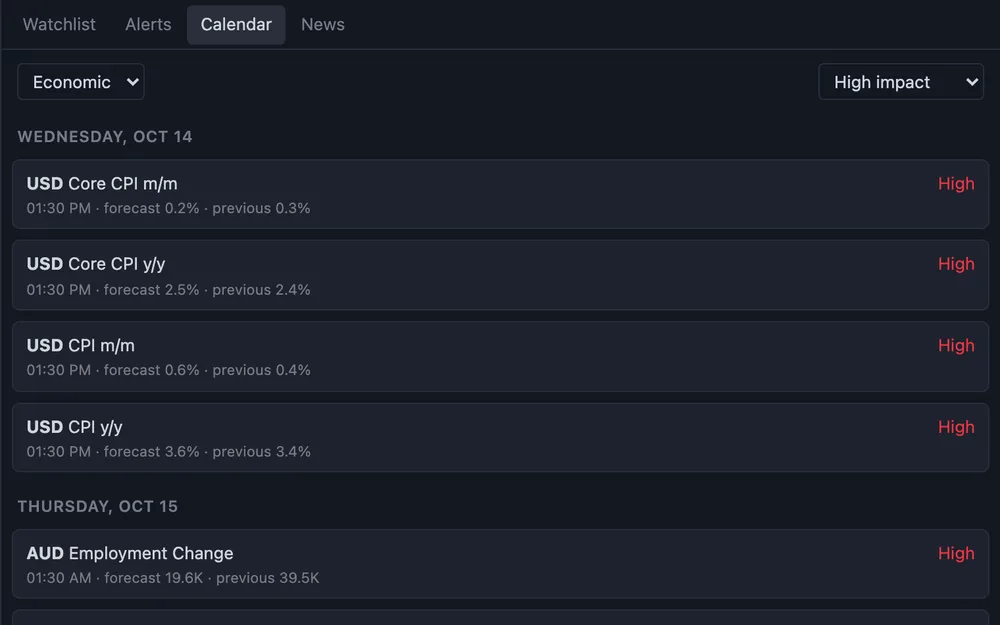
This week’s big events, in your time zone.
TradingView: has one too.
- PTQReal trading through PTQ
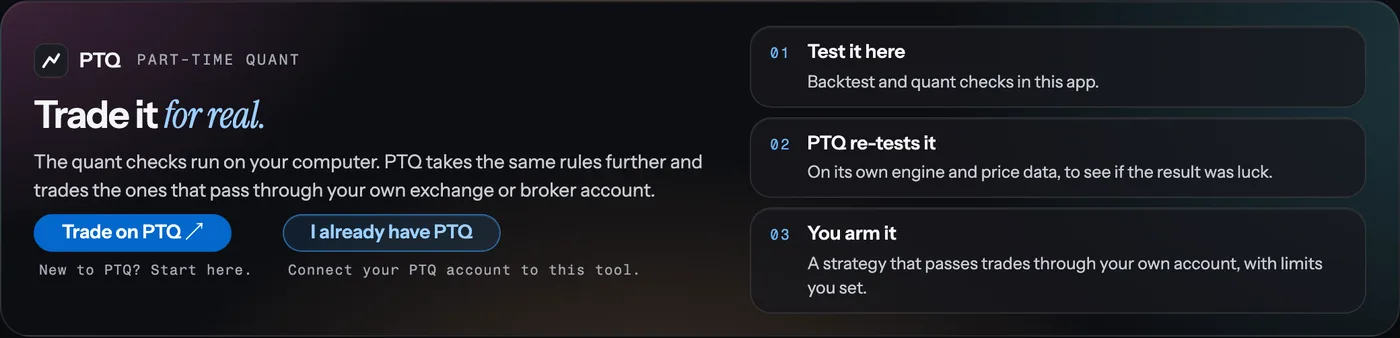
If you want real trading, use PTQ. Connect it, and a strategy that passes PTQ’s checks can trade through your own exchange or broker account.
TradingView: needs a connected broker.
Trade on PTQ ↗
Screenshots: Quant Terminal on a Mac, 13 October 2026, with prices from Binance’s and Nasdaq’s public data. The quant checks image hides each check’s figures. What it doesn’t do: no Pine Script, no community scripts or ideas, no phone app, and no broker connection without PTQ. Alerts only fire while the app is running.
How it works
- 1. Get the prompt
Fill in the form above. The page unlocks straight away.
- 2. Paste it in
Into Claude Code or Codex. In my tests Claude Code finished in under a minute and Codex in about six.
- 3. Open the app
It runs in your browser from your own computer. Your charts and alerts stay there.
Questions
Does it cost anything?
No charge for the prompt or the app. You need Claude Code or Codex to run the prompt, and those come with their own plans.
Do I need to know how to code?
No. You paste one prompt and the agent does the setup. If you would rather skip the agent, download the zip, unzip it and run npm start in the folder.
How long does it take to set up?
In my tests Claude Code finished in under a minute and Codex in about six. Most of that is the agent checking its own work. If your computer doesn’t have Node.js, the agent installs it first, after asking you.
Does it work on Windows?
Yes. The install is tested on Windows, Mac and Linux, with Node.js 18, 20, 22 and 24.
Where does the market data come from?
Public data from Binance, Coinbase, Kraken, Nasdaq and Yahoo Finance, plus Forex Factory for the calendar. It is not a paid exchange feed, so don’t rely on it to the second.
Can it trade with real money?
Not on its own. It paper trades and never connects to a broker. If you want real trading, use PTQ: connect it to this app and a strategy that passes PTQ’s checks can trade through your own exchange or broker account once you arm it in PTQ.
Where do my charts and alerts live?
In a folder on your computer. Nothing is sent to me. The only outside calls are to the data sources above, for prices, and to any webhook you set up for alerts.
Is this made by TradingView?
No. I built it and it is not affiliated with TradingView. The charts use TradingView’s open-source Lightweight Charts library, so their small logo stays on the chart as that licence asks.
Build it with people doing the same.
Join the Academy
The 7-day build path, a monthly live call, support when the install sticks and a trading buddy.
Recurring $29/month membership. Cancel any month. The $997 Skool Premium tier and PTQ software are not included.
I’m Lewis Jackson.
I built Quant Terminal for this video, and PTQ before it. In the Academy I walk you through testing your own ideas, with prompts you can run alongside the lessons.
Trading involves risk. These educational materials do not promise returns.
Start with the Academy ↗